 FDIC-Insured - Backed by the full faith and credit of the U.S. Government

Business Mobile App
Wherever you go, you can bring the Business Mobile App with you, so your business accounts are right at your fingertips.
Features & Benefits
-
View balances and make transfers between accounts
-
Review transfers and payments
-
Approve transactions
-
Mobile Capture for deposits


Message and data rates apply.
FAQs
Yes, you can easily schedule an appointment at any of our offices or with one of our Mortgage Loan Officers through our online scheduling tool.
Contact North Shore Bank's Customer Support by email or by phone at 877-672-2265.
Visit our branch locator to find a North Shore Bank office, video teller, or ATM near you.
To help you stay informed, view North Shore Bank’s resources about Identity Theft Prevention & Protection.
Yes, you can easily schedule an appointment at any of our offices or with one of our Mortgage Loan Officers through our online scheduling tool.
Contact North Shore Bank's Customer Support by email or by phone at 877-672-2265.
Visit our branch locator to find a North Shore Bank office, video teller, or ATM near you.
To help you stay informed, view North Shore Bank’s resources about Identity Theft Prevention & Protection.
If your card is lost or stolen, you can lock your card using our Mobile App or Online Banking to prevent unauthorized transactions. However, you should still call 888-437-0103 as soon as possible. This number can be reached 24/7.
Yes, you can add your contactless debit card to your digital wallet.
Watch a video tutorial or view a click-through demo.
You can change your PIN in our Mobile App or within Online Banking. In the Mobile App, access your account and tap “Cards” and then select “Set PIN”. Within Online Banking, log in to your account, click “Manage Cards” and select “Set PIN”.
Or you can call 1-800-992-3808.
You can set up your debit card for travel outside your normal footprint, including anywhere in the U.S. or internationally using any one of these methods:
- Using the Mobile App, select Cards, then Manage Travel Plans.
- In Online Banking, select Manage Cards, then Manage Travel Plans.
- Or within Online Banking (web-based) and select Settings, then Security Center, then Travel Notice. Simply provide the requested information.
Of course, you can also contact Customer Support at 877-672-2265 during business hours and provide us with your travel details. Outside of business hours, please call 888-437-0103, available 24/7.
You can change your PIN in our Mobile App or within Online Banking. In the Mobile App, access your account and tap “Cards” and then select “Set PIN”. Within Online Banking, log in to your account, click “Manage Cards” and select “Set PIN”.
Or you can call 1-800-992-3808.
For a fast, secure way to pay in stores, in apps or online, use your North Shore Bank Debit Card with Apple Pay.
Adding your debit card to Apple Pay with My Card Manager and the Mobile App:
- To quickly add your North Shore Bank debit card to Apple Pay, log in to North Shore Bank's Mobile App and navigate to the "Cards" menu.
- From there, you can locate the card you wish to add and tap the "Add to Apple Pay..." banner.
- Next, tap the "Add to Apple Wallet" button to begin the process. All of your card information is pre-populated. Once complete, your North Shore Bank debit card will be visible in your Apple Pay wallet.
Manually add your North Shore Bank debit card to Apple Pay:
- Open the Wallet app on your Apple device
- Capture your debit card information using your device's camera or enter the information manually
- Use Apple Pay during your next shopping trip, or online
Additional information:
- Apple Pay FAQs
- Terms and Conditions for North Shore Bank's Digital Wallet services
- View compatible Apple Pay devices.
Apple, the Apple logo, and iPhone® are trademarks of Apple Inc., registered in the U.S. and other countries. Apple Pay and Touch ID are trademarks of Apple Inc.
For a fast, secure way to pay in stores, in apps or online, use your North Shore Bank Debit Card with Apple Pay.
Adding your debit card to Google Pay with My Card Manager and the Mobile App:
- To quickly add your North Shore Bank debit card to Google Pay, log in to North Shore Bank's Mobile App and navigate to the "Cards" menu.
- From there, you can locate the card you wish to add and tap the "Add to Google Pay..." banner.
- Next, tap the "Add to Wallet" button to begin the process. All of your card information is pre-populated. Once complete, your North Shore Bank debit card will be visible in your Google Pay wallet.
How to add your North Shore Bank debit card to Google Pay:
- Open the Google Pay app on your mobile device
- Capture your debit card information using your device's camera or enter the information manually
- Use Google Pay during your next shopping trip, or online
Additional information:
Current Balance, also known as Account Balance or Ledger Balance, means the funds in your account, including deposits and withdrawals made to date. Not all your transactions will be immediately reflected. As a result, only part of this balance may be available for withdrawal. The Current Balance does not include checks or payments, including debit card transactions, that you have initiated but have not yet cleared your account.
Available Balance means the amount of money that can be withdrawn at a point in time. The Available Balance will be less than the Current Balance when there are pending transactions such as:
- Funds held from deposits: These funds have been deposited, but are not yet fully available for withdrawal or transfer.
- Funds held for debit card authorizations: This reflects merchant-authorized requests for payment, when the final charge has not been submitted by the merchant. ATM and PIN-based debit card transactions usually post the same business day and other everyday signature-based debit card transactions usually post within 4 business days. This means that your available balance may not accurately reflect pending debit card authorizations until the transaction is received by us and paid from your account (i.e., posted). Even though we may increase your Available Balance when a merchant does not submit the transaction for payment in a timely manner, the obligation to the merchant still applies.
- Any other holds on funds in your account.
The Available Balance does not reflect every transaction you have initiated or previously authorized. Items that may not be reflected in your Available Balance include, but are not limited to:
- Outstanding checks and authorized automatic withdrawals (such as recurring debit card transactions, transfers, and ACH transactions that we have not received for payment or processing).
- The final amount of a debit card purchase. For example, we may authorize a purchase amount from a gas station, but the authorized amount may be different from the final charge.
- Scheduled bill payments or other direct payments to other people that have not yet been processed.
- Debit card transactions that have been previously authorized but not sent to us for payment from your account where we have released the transaction authorization hold and the transaction is sent for payment from your account at a later date.
North Shore Bank authorizes and pays transactions using the Available Balance in your account. If you have Standard Coverage, the Available Balance for checks, ACH items, and recurring debit card transactions includes the amount of the Overdraft Privilege limit and any available Overdraft Protection. The Available Balance for ATM and everyday debit card transactions on accounts includes any available Overdraft Protection, but does NOT include the Overdraft Privilege Limit. For accounts with Extended Coverage, the Overdraft Privilege Limit is included in the Available Balance for authorizing ATM and everyday debit card transactions.
An easy way to keep track of your transaction history is to enroll in Online Banking or the Mobile App if you are not already enrolled.
Your 8 or 10-digit account number can be found by clicking on the “eye” near your shortened account number in our Mobile App and within Online Banking. You can also find your account number on your paper statements, eStatements, on the bottom of your checks (the second set of numbers), or you can visit a neighborhood North Shore Bank office.
Yes, it’s a debit card for kids, managed by parents. But it’s also a powerful mobile app that lets parents easily manage and see where, when, and how much kids spend while helping them learn to manage their money.
It’s three different accounts in one – Spend, Save, and Give. A digital chore board. A saving-motivation machine. A set of flexible parental controls you won’t get from most banks. And a simple, clear view of your child’s financial world, complete with real-time transaction alerts. All in one app.
Greenlight lets parents:
- Transfer money instantly to kids
- Turn the card off via the app, if needed
- Receive alerts whenever the card is used
- Set store-level spend controls to help kids learn to budget
- Automate allowance payments
- Manage chores (and instantly reward a job well done)
*Subject to Apple Pay and Google Pay age requirements.
If you would like your card sooner, Greenlight offers expedited shipping for an additional charge. It can be requested by calling customer service at 888-483-2645 within 12 hours of ordering your card or signing up.
If you are prompted to verify your North Shore Bank Account when manually adding your funding source, you will receive 2 small deposits of $1.00 or less in your personal checking account within 1-2 business days. To verify your checking account as a funding source, you will need to input the 2 micro deposit amounts into your Greenlight app when prompted to verify. If you do not see these deposits within 3 business days, please contact North Shore Bank directly and have them take a look at the status of your checking account. Once you complete verification, the 2 micro deposits will be removed from your checking account to offset the deposit amounts.
Debit Card
Once you add your North Shore Bank debit card as a funding source and make your initial funding load, you should see 2 transactions on your debit card that add up to the initial load amount. You will need to confirm these transactions within 3 business days in the Greenlight app to verify your debit card. If you do not see these transactions within 4 business days, please contact North Shore Bank directly and have them take a look at the status of your checking account.
Click here to enroll in Greenlight and provide the basic information listed below.
- Your email address
- Your mobile phone number
- Your child’s/children’s names
- Your legal first and last name
- Your physical address
- Your date of birth
- Your Social Security number (SSN)
While your SSN is used to confirm your identity, Greenlight does not pull your credit. - Your North Shore Bank debit card or North Shore Bank personal checking account information.
Note that to receive Greenlight at no-cost, your account must be funded by your North Shore Bank personal checking account.
North Shore Bank does offer home equity lines of credit for our customers to buy vehicles, consolidate bills, or pay off other debts. The first step is to apply online or call one of our Personal Bankers at an office near you.
If you would like to apply for a loan to refinance your current home equity line of credit, please complete an online application or call an office near you.
The rate for your Home Equity Line of Credit is based on the prime rate plus an established margin determined by your individual line of credit. The rate on your line of credit changes on the 1st day of the second month following any prime rate change. If your line of credit was opened prior to Jan. 1, 2006, it is based on the prime rate published in the Wall Street Journal Money Rates section on the third Tuesday of the month. If your line of credit was opened on or after Jan. 1, 2006, the rate on your line of credit will change when the prime rate changes in the Wall Street Journal.
With the North Shore Bank Mobile App, you can conveniently deposit checks by capturing an electronic image and submitting it through the app. Your funds will be deposited into your checking or savings account, and we’ll securely store check images for accurate recordkeeping.
To use Mobile Deposit, simply take a photo of the front and back of your endorsed check, making sure to write “For North Shore Bank Mobile Deposit Only” with your signature.
You can submit mobile deposits anytime, with one check per transaction. There’s no limit on the number of personal or business deposits you can make each business day; however, a maximum deposit of $5,000 per day per user does apply.* If you need a higher limit, please contact Customer Support at 877-672-2265.
In some cases, your check may be processed within minutes, later the same day, or by the next business day. You will receive an email notification confirming whether your mobile deposit was accepted or rejected. View a quick demo.
All check deposits made through Mobile Deposit are subject to verification and final approval. Mobile deposits received and approved before 5:30 p.m. CST on a business day are generally available the next business day. New accounts have different availability schedules. For details on the Funds Availability Policy, please refer to the Deposit Account Agreement.
* Deposit limits may vary and are subject to change. For full details, please refer to our Terms and Conditions in the Mobile App.
Message and data rates may apply when using the Mobile App.
Within the Mobile App and Online Banking, you can access active personal accounts including savings, checking, CDs, and loans.
Learn more about Online Banking or the Mobile App.
Message and data rates may apply when using the Mobile App.
Recurring Payments are those payments that happen repeatedly on a schedule, for example, streaming subscriptions, cellular bills, or other monthly bills you pay with your debit card.
Card on File is a list of merchants who store your debit card information for future purchases, like online retailers or delivery apps.
You can access a list of your Recurring Payments and Cards on File within My Card Manager.
Staying in control of your debit card is easier than ever. Our powerful card controls offer you an all-in-one dashboard for managing your North Shore Bank debit card and how it is used, viewing your transactions, and staying informed.
- Activate your card and manage your PIN
- View spending by category, monthly trends, and location
- Easily lock and unlock your card
- Restrict purchases to location, merchant categories, or transaction types
- Set up alerts based on transaction type, merchant category, or even spend limit
- Set travel plans
- Report your card lost or stolen
My Card Manager shows the most recent 50 debit card transactions posted within the last 30 days. Additional history can be viewed within the Accounts menu.
If you are enrolled in eStatements, you can view select tax documents electronically.
To view your statements from the Mobile App, simply select Statements & Documents below the account list and then click "View Associated Notices & Year-End Tax Forms".
In Online Banking, log in and select a specific checking, savings, or loan account, and then select "Online statements" from the Account Details page. Available tax documents will be displayed after clicking "View Associated Notices & Year-End Tax Forms" for the associated account.
If you're not currently enrolled in eStatements, log into the Mobile App or Online Banking, select the account you want to enroll, and click "Online statement" to get started.
You can sign up for Online Banking from your desktop computer, tablet device, or smartphone.
When completing the enrollment form, you'll need the following information to create your account:
- Social Security Number (SSN)
- Your 10-digit account number (checking or savings), including any leading zeros and excluding dashes
- Date of birth
- Zip code
Once you have submitted this information, you will be able to create your unique username and password for your account, establish your security challenge questions and set up a phone number for receiving verification codes to verify your identity.
When your enrollment is complete, you will be able to access your North Shore Bank account information from either Online Banking or our Mobile App.
To log in to Online Banking you must:
- Go to northshorebank.com.
- Enter your username (If you have forgotten your username you must contact us by phone).
- Enter your password (if you have forgotten your password, you can select the "forgot password" option. An email will be sent to you with instructions on how to reset your password).
We offer Debit Rewards* on our Standard and Platinum Debit Mastercard® where you earn points with every purchase that can be redeemed for cash back, gift cards, and more.
For credit card rewards, we offer a variety of cards that provide you with opportunities to earn rewards and other perks.
* Participation in Debit Rewards requires using Digital Banking and accepting the terms and conditions to register your card. Available on Platinum and Standard Debit Cards associated with a North Shore Bank checking account. Business cards or cards tied to Health Savings Accounts are ineligible.
Message and data rates may apply when using the mobile app.
- Standard transfers to an external account are free
- Next-day transfers to an external account incur a $3 fee per transfer
- There is no fee for transferring money into your North Shore Bank accounts from an external financial institution
- There is also no fee for transferring money between North Shore Bank accounts
You can send, request, or receive money with Zelle®.
- To get started, log into North Shore Bank's Mobile AppFootnote 1 or Online Banking (web-based) and select "Send Money with Zelle®" and you're ready to start sending and receiving with Zelle®.
- To send money using Zelle®, simply add a trusted recipient's email address or U.S. mobile phone number, enter the amount you'd like to send and an optional note, review, then hit "Send." In most cases, the money is available to your recipient in minutesFootnote 2 if they are already enrolled with Zelle®.
- To request money using Zelle®, choose "Request," select the individual(s) from whom you'd like to request money, enter the amount you'd like to request, include an optional note, review and hit "Request"Footnote 3. If the person you are requesting money from is not yet enrolled with Zelle®, you must use their email address to request money. If the person has enrolled their U.S. mobile number, then you can send the request using their mobile number.
- To receive money, just share your enrolled email address or U.S. mobile phone number with a friend and ask them to send you money with Zelle®. If you have already enrolled with Zelle®, you do not need to take any further action. The money will be sent directly into your account, typically within minutes.
1 Mobile network carrier fees may apply.
2 Transactions typically occur in minutes when the recipient's email address or U.S. mobile number is already enrolled with Zelle®.
3 In order to send payment requests or split payment requests to a U.S. mobile number, the mobile number must already be enrolled with Zelle®.
Zelle® is a fast, safe, and easy way to send money to someone within minutes1. With just an email address or U.S. mobile phone number, you can send money to people you trust, even if they don’t bank with North Shore Bank2.
1 Transactions typically occur in minutes when the recipient's email address or U.S. mobile number is already enrolled with Zelle®.
2 To send or receive money with Zelle®, both parties must have an eligible checking or savings account.
Zelle® and the Zelle® related marks are wholly owned by Early Warning Services, LLC and are used herein under license.
If you have already enrolled with Zelle®, you do not need to take any further action. The money will be sent directly into your bank account, and will be available typically within minutesFootnote 1.
If you have not yet enrolled with Zelle®, follow these steps:
- Click on the link provided in the payment notification you received via email or text message.
- Select North Shore Bank.
- Follow the instructions provided on the page to enroll and receive your payment. Pay attention to the email address or U.S. mobile number where you received the payment notification - you should enroll with Zelle® using that email address or U.S. mobile number where you received the notification to ensure you receive your money.
1 Transactions typically occur in minutes when the recipient's email address or U.S. mobile number is already enrolled with Zelle®.
Helpful tools and lessons that help you dive into a variety of financial topics. North Shore Bank has partnered with Banzai to bring you clear, in-depth lessons that help you dive into the financial topics you care most about.
- Thanksgiving - Thursday, November 27, 2025: Closed
- Christmas Eve - Wednesday, December 24, 2025: Open until 1:00 PM
- Christmas Day - Thursday, December 25, 2025: Closed
- New Year's Eve - Wednesday, December 31, 2025: Open until 5:00 PM
- New Year's Day - Thursday, January 1, 2026: Closed
- Martin Luther King Jr. Day - Monday, January 19, 2026: Closed
- Easter - Sunday, April 5, 2026: Closed
- Memorial Day - Monday, May 25, 2026: Closed
- Juneteenth - Friday, June 19, 2026:
- Martin Luther King Drive Office: Closed
- All Other Locations: Open
- Independence Day - Saturday, July 4, 2026: Closed
- Labor Day - Monday, September 7, 2026: Closed
North Shore Bank is a great place to work! To see current career and job openings, please visit careers.northshorebank.com. Thank you for your interest!
With over 40 office locations we serve the following Wisconsin counties:
- Brown
- Calumet
- Door
- Kenosha
- Kewaunee
- Milwaukee
- Oconto
- Outagamie
- Ozaukee
- Racine
- Washington
- Waukesha
- Winnebago
North Shore Bank does not have a SWIFT code. We have a routing/ABA number, which is 275071356. All international wires must come through a United States bank.
If you are receiving funds from a foreign bank, the initiating bank should follow their process to send the funds to their US-based correspondent bank, for further routing to North Shore Bank, listing your name and account number as the final beneficiary.
Corporate Office (Other locations):
North Shore Bank
15700 West Bluemound Road
Brookfield, WI 53005
800-236-4672
North Shore Bank’s routing/ABA number is 275071356. ABA numbers are also referred to as routing numbers and are used for various financial transactions, such as direct deposits and wire transfers.
To locate a branch office with a video teller, please select Video Tellers from the Branch Locations page.
Visit our branch locator for details on each office’s hours, ATMs, and services available.
Review North Shore Bank’s top ten financial security tips to help keep you and your money safe.
We will periodically send out survey requests to gather feedback on how we can improve our products and services. Legitimate surveys will be sent from the following email addresses:
- northshorebankcontact@northshorebank.com
- northshorebank@surveyinforma.com
- northshorebank@qemailserver.com
Important reminders:
- NEVER share your PIN (personal identification number) or one-time passcode.
- North Shore Bank representatives will never ask you for your PIN or request you to verify personal financial information via email.
If you suspect that you’ve received a phishing email claiming to be from North Shore Bank, please call 877-672-2265 to report it or to verify the message’s authenticity. Your security is our priority.
You can learn more by viewing our Security Statement.
Yes, North Shore Bank is a guarantor and a member of STAMP (Securities Transfer Agents Medallion Program). Please contact your local branch for more information.
Account alerts are real-time and will be sent to you as soon as possible after the transaction has occurred.
- Mobile App - Set up and receive Account Alert push, email, and text notifications.
- Online Banking - Set up and receive email and text notifications. Please note that you can also set up a "quiet time" for your text and email alerts by clicking the Manage Delivery tab in Alerts.
- Locate Alerts under Quick Links or on the More page.
- Turn on Push Notifications and then select Account Alerts.
- Next, choose an account and select Add new alert.
- Select the type of alert and set its criteria.
- Under Delivery Methods, activate push notification, email, and/or text message and select Save.
Set up email and/or text account alerts from Online Banking:
- Navigate to Settings > Security Center > Account and Security Alerts.
- Use the Manage Alerts tab to choose and customize the alerts you want. You will also choose the accounts you would like the alert placed on and what email address or phone number you want them sent to.
To set up Quiet Times, click on the Manage Delivery tab in Alerts within Online Banking. In the Quiet Times section, you can edit the quiet time for email and text notifications.
"Quiet Time" controls are not supported in the Mobile App.
Yes, you can send alerts to multiple email addresses and mobile phones when you log in on the Mobile App or in Online Banking. Under Manage Delivery, select to either add a new email address or add a new phone number.
If your email address or phone number changes, you can also delete any email addresses or phone numbers you would no longer like to receive alerts.
North Shore Bank debit card customers can use ATMs located at any of our branches and at 33,000 MoneyPass ATMs nationwide for free. Find an ATM near you.
ATM withdrawals have a daily limit of $1,000, which may vary depending on the ATM. This limit also includes an additional $15 to cover any ATM fees that may be assessed.
North Shore Bank customers can make ATM deposits at most of our ATMs.
Customers using a North Shore Bank debit card are not charged ATM fees for withdrawals at any North Shore Bank ATM or any one of 33,000 MoneyPass Network ATMs nationwide.
Use our ATM & Branch Locator to locate an in-network ATM near you.
If you use your North Shore Bank Debit Card at an out-of-network ATM, North Shore Bank will charge a $3 fee, and you may also be charged a fee by the ATM owner.
Customers with a checking account that comes with a Platinum Debit Card receive two free out-of-network ATM withdrawals per account per statement cycle. You may still be charged a fee by the ATM owner.
Once you request to receive eBills from a business, you will no longer receive a paper bill. However you can print a paper copy of any eBill, if you prefer.
This is an invitation for you to explore the convenience and benefits of receiving your bill at the same place where you currently pay your bill. During this introduction you will be provided with an electronic bill while continuing to receive a paper bill. If you like the convenience of electronic billing you can decide to stop receiving paper bills.
Most businesses use the same billing cycle as mailed bills, so you can expect to receive your bill at approximately the same time of the month that you currently receive your paper bill – without the postal delay.
You can pay an eBill just like any other online bill payment. Or you can choose to have your eBills paid automatically with Auto-Pay (under a certain dollar amount).
Bill Pay can only be used with a checking account. You must also enroll in Online Banking or the Mobile App to access Bill Pay.
Message and data rates may apply when using the Mobile App.
Payments submitted after 5:30 p.m. Central Time on Friday, or at any time on Saturday or Sunday, will be processed on Monday. However, your payment will be credited as of the date it was submitted.
Example: If you make a payment on Saturday, it will be posted with Saturday's date, even though it is processed on Monday.
eBills are an important part of North Shore Bank’s Bill Pay. These documents are simply bills delivered electronically to you, rather than mailed.
You’ll need your loan account number, plus the account and routing number for your payment account.
Make sure all information is accurate to ensure smooth processing.
Registration isn’t required to make a payment.
You can submit a payment by confirming your account details and a few pieces of personal information.
Creating a login with our online loan payment service allows you to save your information and set up recurring payments for added convenience.
There is no charge to set up or receive eBills through Bill Pay for personal checking customers. Fees for Bill Pay services may apply for business accounts.
Message and data rates may apply when using the mobile app.
You can view your eBills, statements, and notices online for six months from the date they are delivered.
Message and data rates may apply when using the mobile app.
- Payments to payees who accept electronic payments are delivered in approximately two business days.
- Payments issued by check are delivered by mail in approximately five business days.
- When you schedule a payment, the payment calendar indicates the earliest available payment date.
Payments can be set up as much as 365 days in advance. Recurring payments can be scheduled to occur over any timeframe in the future, including indefinitely.
When you sign in, you'll see the number of new eBills, statements, and notices you've received. If an eBill has not been viewed within four days of delivery, you'll also receive a reminder email letting you know that a new eBill is available in your account mailbox.
Message and data rates may apply when using the mobile app.
Enrolling in eBills is simple. Log in to your account our Mobile App or within Online Banking. From the Bill Pay page, choose from a list of Billers that offer eBills (indicated by the eBill icon). Just click the eBill icon next to the Biller name and follow the on-screen prompts to complete enrollment.
Log in to your account on the Mobile App or Online Banking and select Pay Bills or Payments to get started.
Watch our Bill Pay video tutorial.
Message and data rates may apply when using the Mobile App.
Lease payments cannot be made through the online loan payment service.
Once you sign up and create an account with our online loan payment service, you will be able to scheduling recurring payments.
No.
Home Equity Loans and mortgage loans cannot be paid off through the online loan payment service. To request a payoff amount, please contact Customer Support at 877-672-2265.
Yes, you can change a scheduled payment at any time before it is processed. The system displays an error message if you attempt to modify a payment after it has been processed.
The Corporate Transparency Act requires many companies doing business in the United States to report information about the individuals who ultimately own or control them. The law was passed to curb illicit finance and protect U.S. national security. Learn more.
North Shore Bank offers a Business Debit Card Reward program and when a Business signs up for the Easy Savings program, you will receive an automatic rebate posted to your card’s account when you use your North Shore Bank Debit Mastercard at any of the participating merchants.
View our Business Account Opening Checklist to find out what you'll need to provide prior to opening a Business Banking account.
We offer business loans. Please call one of our Business Loan Officers at an office near you.
Find a North Shore Bank office, ATM or loan center near you.
Our Business Mobile App can be installed and used on an Apple or Android smartphone or tablet. To install the Business Mobile App on a tablet:
- Search for North Shore Bank Business Banking in the App Store.
- When the app results appear, change the device-type from iPad Only to iPhone Only. This will present our Business Mobile App to you for installation.
- Install the app and log into your account.
Because you'll be using the mobile app on a tablet, certain functions, such as changing the screen layout from portrait to landscape, are not available.
Please contact our Customer Support area by email or by phone at 877-672-2265.
If you have already been set up to use Business Online Banking and are a signer on the account, please try resetting your password. If you wish to have access to your business accounts through Business Online Banking, please contact 1-800-270-7956 to speak with our Treasury Solutions Team to get set up or stop in at your local branch to get started.
Note: Only Signers on the account can request the set up of their account to Business Online Banking.
Follow these instructions to enroll in eStatements for Business Online Banking.
-
Launch QuickBooks and select the option to set up Online Banking Setup. This is found under the Banking menu, by selecting Online Banking Setup.
-
In the search field provided, type in “North Shore Bank”. You will see multiple results returned. Be sure to select “North Shore Bank – WI-QB DC” and select Next.
-
You will be prompted to log into your Business Online Banking account at North Shore bank to complete the process. Follow the on-screen instructions to finish setting up Business Online Banking access.
-
After the connection has been established and transactions have been downloaded, you may customize your QuickBooks settings for this account. When you’re satisfied, select Continue.
The next time you launch QuickBooks, your recent transactions will be automatically downloaded.
Yes. You can connect both your personal Digital Banking accounts and Business Digital Banking accounts to QuickBooks Self-Employed.
Message and data rates may apply when using the mobile app.
North Shore Bank is a great place to work! To see current career and job openings, please visit careers.northshorebank.com. Thank you for your interest!
If you have a checking account that is no longer available to new customers, you can still access information about its features, fees, benefits, and requirements. View the Product Guide for your account type below.
- Better-Than-Free Checking
- Better-Than-Free Checking with Value Pack
- 60+ Checking
- 60+ Checking with Platinum Card
- Platinum Checking
- Perks Checking
- Perks Checking with Platinum Card
If you're unsure which checking account you have, please contact Customer Support or visit your local North Shore Bank branch for assistance.
The minimum balance required for a checking or savings account will vary depending on the type of account you have or would like to open.
View our selection of personal checking accounts and savings accounts to learn more.
Please report missing checks immediately. We will place a lock on your account and help you set up a new account. Please contact our Customer Support Team at 877-672-2265 or come into your local office.
Overdraft Protection
When you make a withdrawal that results in a negative balance in your checking account, Overdraft Protection may help prevent an overdraft by automatically transferring funds to your checking account from another eligible deposit account or Home Equity Line of Credit (subject to interest) you have at North Shore Bank. Overdraft Protection services apply to all transactions.
Overdraft Protection is a great way to protect against the fees merchants may charge for returned checks and there is no charge for the automatic transfer of funds. If you would like to sign up for Overdraft Protection, please visit your nearest North Shore Bank location.
Overdraft Privilege
Overdraft Privilege allows you to overdraw your account up to a preset limit for a fee in order to pay a transaction. This limit is set by North Shore Bank. Even if you have Overdraft Protection, Overdraft Privilege is still available as secondary coverage if the Overdraft Protection source is exhausted. North Shore Bank has the discretion to pay overdrafts on accounts in good standing and any payment is a discretionary courtesy, and not a customer right nor an obligation of North Shore Bank. North Shore Bank can stop paying overdrafts at any time without prior notice of reason or cause.
Learn more about Overdraft Protection and Overdraft Privilege.
Cell Phone Protection is an exclusive benefit that North Shore Bank provides for Platinum Debit Card and Business Debit Card cardholders. As long as you pay your monthly cellular bill with your North Shore Bank Platinum or Business Debit Card, you are automatically covered for up to $600 ($1,000 Annually) – at no additional cost – if your phone is stolen or damaged.1
Coverage includes the primary line and unlimited additional or supplemental lines on the monthly billing statement from your cellular provider.
For more detailed information, please view the appropriate Mastercard Guide to Benefits:
1 Coverage provided under a group insurance policy issued by New Hampshire Insurance Company, an AIG company. Policy provides secondary coverage only. The $600 benefit amount applies to each claim, and is subject to a $50 co-pay per claim. $1,000 maximum claim benefit per 12 months. Subject to limitations and exclusions. See Mastercard Guide to Benefits for details.
North Shore Bank is required to obtain a one-time authorization from you to authorize and pay overdrafts for North Shore Bank ATM or everyday debit card transactions, and in exchange will charge an overdraft fee for this service. This is referred to as Extended Debit Card Coverage.
If you decline or do not give consent for this coverage, one of the following two events will occur if there are non-sufficient funds to cover North Shore Bank ATM and everyday debit card transactions:
- The transaction will be declined.
- Certain debit card transactions will be paid, but North Shore Bank is not permitted to charge an Overdraft Fee.
You may change your election at any time by visiting a branch, sending a secure message through Digital Banking, or by contacting Customer Support at 877-672-2265.
Message and data rates may apply when using the mobile app.
Your check may clear for a different amount if the written amount in words does not match the numerical amount. For security reasons, we are unable to provide all the specifics regarding this issue. Please contact Customer Support at 877-672-2265 or visit your local branch for assistance.
The minimum balance required for a checking or savings account will vary depending on the type of account you have or would like to open.
View our selection of personal checking accounts and savings accounts to learn more.
The negative balance should be paid within 25 days. For assistance, you can contact Customer Support by email or by phone at 877-672-2265.
Your cost for checks will vary depending on the style, type, and quantity you order. You can view pricing after logging directly in to Deluxe. To log in, enter North Shore Bank's routing number (275071356), your checking account number, and your zip code.
To place a stop payment on a check through Online Banking, select the appropriate checking account and then select Stop Payments. Fill out the required check details on the next screen, review them, and submit your request.
Additionally, a stop payment request can be made by calling Customer Support at 877-672-2265.
For information on stop payment fees, please refer to the current Personal Accounts Fee Schedule or the Business Accounts Fee Schedule.
To help prevent overdrafts from occurring, we offer Overdraft Protection, which will automatically transfer funds from another North Shore Bank account or home equity line of credit that you own to cover the overdrawn balance.
Learn more about this service or visit your neighborhood North Shore Bank branch to sign up today.
Ordering checks online is fast and convenient. Plus you'll get instant confirmation of your order, and you can check your order's status online anytime.
There are several ways you can order checks:
- Log in to Online Banking (web-based); select the Reorder Checks link.
- Order directly through Deluxe. To log in, enter North Shore Bank's routing number (275071356), your checking account number, and your zip code.
- Mail or bring your check order form to your nearest North Shore Bank office.
Your cost for checks will vary depending on the style, type, and quantity you order. You can view pricing after logging in to Deluxe.
Current customers can open a new checking, savings, money market, or Certificate of Deposit within the Mobile App or Online Banking. In the Mobile App, log in and select Open an account listed under Quick Links. Or within Online Banking, log in and select Open An Account, then Open Checking, Savings, or CD.
New customers can open a new checking, money market, or savings account online in just a few minutes. Get started now.
For those who prefer the human touch, stop by any branch or go online to schedule an appointment.
Message and data rates may apply when using the Mobile App.
You can view your past check orders through the Deluxe check reordering system. To log in, enter North Shore Bank's routing number (275071356), your checking account number, and your zip code.
Once you've logged in, select "My Orders" from the upper-right of your screen and your order history from the last five years will be displayed.
Images of canceled checks can be viewed, printed, or saved at no charge when you log in to the Mobile App or Online Banking. Customer Support can also provide copies by mail or you can visit your nearby branch to obtain a copy (fees may apply).
Message and data rates may apply when using the Mobile App.
Yes, we offer a unique account that helps you build your financial IQ without worrying about overdrafts. Learn more about Balance Checking.
Yes, our Balance Checking account is certified by Bank On as a low-cost and high-functioning account that can help customers build money management skills. Learn more about Balance Checking.
Existing and new customers can open personal checking, savings, and money market accounts.
Existing customers can also open Certificates of Deposit.
We ask that you schedule an appointment at your nearest branch to open the following types of accounts:
• Any account for a minor (under the age of 18)
• Certificates of Deposit if you are a new customer
• Health Savings Accounts (HSAs)
• Individual Retirement Accounts (IRAs)
• Trust Accounts
• Custodial Accounts
• Business Accounts
New customers click here to get started.
If you have a personal deposit account or loan with North Shore Bank, log into Online Banking to open your new account. You will save time and the process will be more efficient.
If you’d like to open a business account, please contact a North Shore Bank Business Banker.
Existing Customers
Existing North Shore Bank customers with personal accounts should log into Online Banking to open their new account. It will save you time, and the process will be more efficient.
New Customers
New North Shore Bank customers will need to provide the following information for the primary account owner to open a new account online:
- Email Address
- Complete Name
- Current Home Address, including City, State, and Zip Code
- Date of Birth
- Primary Phone Number
- Social Security Number
- Driver's License or other Government-Issued Identification
- Employer/Income Information
- The routing number and account number at your existing bank, or a debit or credit card number, to fund your new account
You will also be asked to answer questions regarding your expected account activity, including cash deposits/withdrawals and wire transfers.
Joint Account Owners
If you are opening a joint account online, the following information is needed for the joint owner:
- Email Address
- Complete Name
- Current Home Address, including City, State, and Zip Code
- Date of Birth
- Primary Phone Number
- Social Security Number
- Driver's License or other Government-Issued Identification
- Employer/Income Information
Beneficiaries
If you are adding a beneficiary, the following information is needed for the beneficiary:
- Complete Name
- Current Home Address, including City, State, and Zip Code
- Date of Birth
- Social Security Number
- Relationship to Account Holder
Not to worry! You have up to ten days to complete your application after it’s been started. You can save your progress and resume later. Also, you can begin your application on your smartphone and resume it on your desktop or laptop, or vice versa.
To save your application progress, enter your email address to receive a link to resume your application at a later time.
When opening a deposit account online, you can choose to upload a photo of your driver's license to assist with prefilling your personal information. In addition, to assist with verifying your identity, you can also upload a photo of yourself. You are not required to supply an image of yourself or your driver's license, however, for security reasons, it is recommended to ensure a more efficient application process. If you choose to supply these images, we retain them with your online application.
If you have trouble uploading the images, you can manually enter in your personal information. Please keep the following in mind when taking a picture of your photo ID:
• Ensure the ID fills the complete frame size on your screen
• Place your ID on a dark surface
• Ensure you have ample light
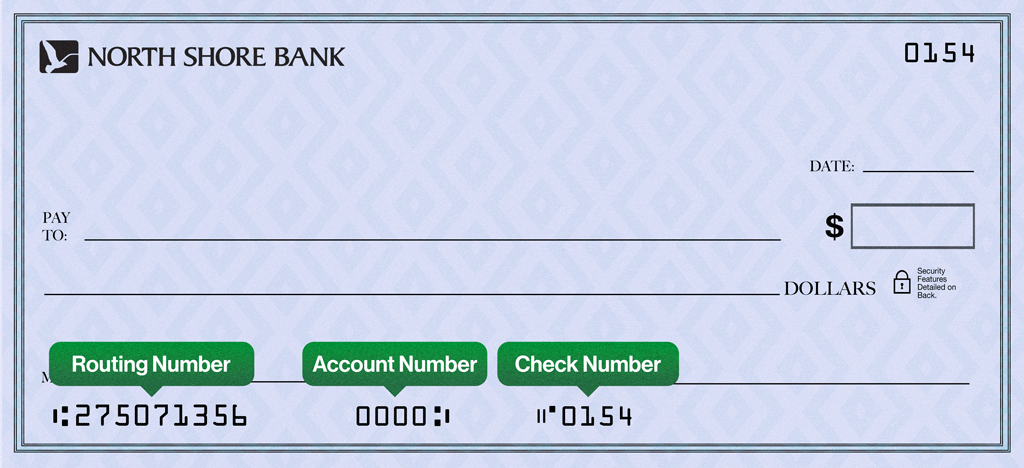 When opening an account online, your initial deposit must be done by transferring money from your current bank account or by debit or credit card.
To set up a transfer from your checking account at another bank, you will need your current bank's routing number and account number. Typically, this information is found on a printed check, deposit ticket or account statement.
Using a prepaid card to fund a new account is highly discouraged. In most cases it does not contain the necessary information required to successfully fund an account. Please visit a North Shore Bank location to open the account.
Depending on how the processing of your application proceeds you will receive additional emails:
- More Information Needed For Your Application (Pending) - this email instructs you to contact us to gather additional information.
- Welcome to North Shore Bank! - Confirms that your new account is open. NOTE: This email contains your new account number. Your account number is the Application ID number.
- Please Validate Your Account - Communicates the steps to take to make your initial deposit to your new account.
If you have lost your credit card, please call 866-552-8855 (Elan Financial Services) as soon as possible.
If you have lost your debit card, please contact 888-437-0103 as soon as possible.
Both of these numbers can be reached 24/7.
Visa Business Reporting makes it easier to manage your expenses. It lets you access your Visa credit card transactions via desktop browser or mobile app so you can track spending and stay on budget — at work or on the go. Free up more time to run your business.
Sign up today!
Registration is required to access these services. To get started, go to: register.businesssolutions.visa.com
Credit card payments can be made online or by mail. Mailed payments can be sent to:
Cardmember Service
P.O. Box 790408
St. Louis, MO 63179-0408
Are you looking for a rewards card that earns automatic bonus points on every purchase, every month? Or maybe you prefer a card to pay down your balances on other credit cards faster or to save on interest. Whatever your needs, we have a credit card that’s right for you!
Learn more and apply online today:
Yes, we offer a variety of credit cards which provide you opportunities to earn rewards and other perks. Learn more about these different credit cards and enroll today!
When you use your North Shore Bank Debit Mastercard® to tap and pay $10 or more at participating transit systems, you’ll automatically receive a $2.50 statement credit from Mastercard. It’s their way of making your next ride even smoother.
The statement credit will post to your account as “MastercardTransi Credit” usually within 30 days of your qualifying transit transaction.
This offer is valid at select U.S. transit agencies that accept contactless Mastercard payments. Learn more about the offer ,including full Terms & Conditions at mastercard.com/transitbenefit.
The bank cannot dispute “pending authorizations”. Only authorized debit card transactions that have cleared and posted to your account can be disputed.
If you have any immediate concerns about a pending charge, contact the merchant directly.
There could be several reasons why your debit card does not work, from fraud protection to insufficient funds. Please call our Customer Support Team at 877-672-2265.
Please call our Customer Support Team at 877-672-2265. For security purposes, you will need to provide specific data so we can identify you and help you resolve the situation.
Please call our Customer Support Team at 877-672-2265. For security purposes, you will need to provide specific data so we can identify you and help you resolve the situation.
Your PIN (Personal Identification Number) is created at account opening or when a new card is set up. You can change your PIN in our Mobile App or within Online Banking. In the Mobile App, access your account and tap “Cards” and select “Set PIN”. Within Online Banking, log in to your account, click “Manage Cards” and select “Set PIN”.
To change your PIN, you can also call Card Services at 1-800-992-3808.
You can use this temporary card for one-time payments or add it to your Apple Pay® or Google Pay™ wallet.
If you are using a North Shore Bank debit card, please contact Customer Support at 877-672-2265. Otherwise contact the bank that issued the card.
There could be several reasons why your debit card PIN does not work, from fraud protection to insufficient funds. For security reasons, please contact our Customer Support Team at 877-672-2265.
For security reasons, please call our Customer Support Team at 877-672-2265 regarding your debit card.
When you are issued a new debit card, you’ll need to update the expiration date and CVC wherever you have your debit card saved for payments, on file with online retailers, within your digital wallet, or for subscriptions.
You can review your monthly checking statement to identify your debit card payments. Or access Card Manager within the Mobile App or Online Banking to see where your card is used for recurring payments or where you have it saved as a Card on File.
Also remember to update your card information in your digital wallet on your smartphone, tablet or smartwatch, such as Apple Pay, Google Pay and Samsung Pay.
If you are activating a new North Shore Bank Platinum Debit Mastercard, pay your monthly cellular bill with your Platinum Debit Card, and you’re automatically covered for up to $600 ($1,000 annually), at no additional cost, if your phone is stolen or damaged (coverage applies to all phones on your monthly plan/bill).
Please call our Customer Support Team at 877-672-2265. For security purposes, you will need to provide specific data so we can identify you and help you resolve the situation.
Your debit card will automatically reissue during the expiry month and year on the card (MM/YY). You can expect to receive your new card within the first or second week of the month your current card is set to expire. You can continue using your current card until the first day of the following month.
When your new card arrives, activate it in our Mobile App or within Online Banking.
It’s always a good idea to make sure we have your current mailing address on file. Learn more about updating your contact information.
Learn about the MoneyPass® ATM network and how North Shore Bank customers enjoy surcharge-free withdrawals nationwide.
Most transactions must be disputed within 60 days of the date of your statement on which the error appeared. If you did not provide your account information to the merchant in question and suspect that your information was stolen, contact Customer Support immediately.
ATM and PIN-based debit card transactions usually post the same business day and other everyday signature-based debit card transactions generally post within four business days.
Exchange rates are calculated in global currency markets and can fluctuate.
Visit your local office or contact Customer Support at 877-672-2265.
If your card is lost or stolen, you can lock your card using our Mobile App or Online Banking to prevent unauthorized transactions. However, you should still call 888-437-0103 as soon as possible. This number can be reached 24/7.
For Mobile App users:
- Log in to your account and select the Cards tab at the bottom of the screen.
- Select your new debit card and click to add to Apple Pay or Google Pay.
- You will need to enter an authentication code that will be sent to you by text or email.
- Your card is now added to your digital wallet.
- You can add a PIN for purchases within the Digital Wallet.
- Your temporary card details, including the full card number, the temporary expiration date, and a temporary CVV can be viewed so you can use the card for one-time purchases until your physical card arrives in the mail. In the Mobile App, your card details are found under the Cards tab and then under Card details, select View Digital Card. You may be asked to confirm your identity.
- You will receive a text message from short code 66368. (This is from us and safe to open.)
- Click on the link in the text. Note that this link is good for 21 days.
- Authenticate yourself with the last four digits of your social security number and the one-time password sent to you by text or email.
- Then agree to the Terms and Conditions.
- Next you can select to add your card to your Apple Pay® or Google Pay™ wallet. You will need to sign in to your wallet on your device and accept the wallet terms and conditions.
- You can create a PIN by scrolling down. You will get a confirmation after your PIN is successfully set.
You can activate your card within My Card Manager in the Mobile App or Online Banking. In the Mobile App, access your account and tap “Cards” to get started. Within Online Banking, log in to your account and then click “Manage Cards”.
Or you can activate your card by calling 1-800-992-3808. When prompted, enter the following information:
- Your new card number
- The 3-digit Card Verification Code (CVC) on the back of your new card
- The last 4 digits of your Social Security Number
- Your 5-digit zip code (the address where the card was mailed)
You can also follow the prompts to set up your PIN after your card activation is complete.
Mobile App users can find your temporary digital debit card under the Cards tab and can add it to your Apple Pay® or Google Pay™ wallet. You can also see your temporary card in your digital wallet.
If you do not use the Mobile App, you can access your temporary digital debit card by clicking on the link in a text message from short code 66368. (This text is from us and safe to open.) You will be asked to authenticate yourself and agree to the Terms and Conditions. Then follow the prompts to add your new card to your Apple Pay® or Google Pay™ wallet. This link is good for 21 days.
If you’re using your card to pay for a subscription or storing the card with a merchant, we recommend you wait until you receive your physical card to make those updates.
It cannot be used at an ATM. We do not recommend using it for recurring purchases like memberships or subscriptions because the new card information will need to be updated when your physical card is activated.
In the Mobile App, select Cards, then Controls & Alerts. Or in Online Banking, Select Manage Cards, then Controls & Alerts. Once in the Alerts tab, you can set alerts for all transactions, no transactions, or selected transactions.
Within Card Manager, you can also lock and unlock your card, set travel plans, report your card lost or stolen, and more.
Yes, please call North Shore Bank's Customer Support Team at 877-672-2265 before your international travel so we can ensure your card will be protected.
Please keep in mind you may be charged fees when using your debit card internationally.
- Currency Conversion Assessment Fee which is 0.2% of your transaction amount and may be charged for performing the currency conversion.
- ICBA or Issuer Cross-Border Assessment Fee which is 0.9% of your transaction amount.
You can set up your debit card for travel outside your normal footprint, including anywhere in the U.S. or internationally using any one of these methods:
- Using the Mobile App, select Cards, then Manage Travel Plans.
- In Online Banking, select Manage Cards, then Manage Travel Plans.
- Or within Online Banking (web-based) and select Settings, then Security Center, then Travel Notice. Simply provide the requested information.
Of course, you can also contact Customer Support at 877-672-2265 during business hours and provide us with your travel details. Outside of business hours, please call 888-437-0103, available 24/7.
Stop payments cannot be placed on one-time, everyday point-of-sale (POS) debit card transactions.
Stop payments can be placed only if the transaction is a recurring payment. The bank must be notified three business days before the recurring payment posts to the account. A stop payment fee applies. For current fees, please refer to our Personal Accounts Fee Schedule.
No; only posted or cleared debit card transactions can be disputed because pending charges are temporary and may change.
Consider calling the merchant first, as they may resolve your claim faster. We may also require information from the merchant to process a claim, so contacting them directly may save you time.
The merchant's contact information is typically found on your receipt, email confirmation, or billing statement.
Standard Debit Cards
For your protection, the Standard Debit Card has a daily spending limit of $6,000, as long as funds are available in your account. ATM withdrawals have a daily limit of $1,000, which may vary depending on the ATM. This limit also includes an additional $15 to cover any ATM fees that may be assessed, for a total spending limit of $7,015.
If you need to make a purchase that exceeds the $6,000 daily spending limit, call the number on the back of the card or contact North Shore Bank Customer Support to request a temporary limit increase.
Platinum and Business Debit Cards
For your protection, the Platinum Debit Card has is a daily spending limit of $10,000, as long as funds are available in your account. ATM withdrawals have a daily limit of $1,000, which may vary depending on the ATM. This limit also includes an additional $15 to cover any ATM fees that may be assessed, for a total spending limit of $10,015.
If you need to make a purchase that exceeds the $10,000 daily spending limit, call the number on the back of the card or contact North Shore Bank Customer Support to request a limit increase.
HSA Debit Cards
For your protection, the Health Savings Account Debit Card has a daily spending limit of $3,000, as long as funds are available in your account. ATM withdrawals have a daily limit of $1,000, which may vary depending on the ATM. This limit also includes an additional $15 to cover any ATM fees that may be assessed, for a total spending limit of $4,015.
If you need to make a purchase that exceeds the $3,000 daily limit, call the number on the back of the card or contact North Shore Bank Customer Support to request a limit increase.
Yes, there are two fees you may see on your checking account statement.
- Currency Conversion Assessment Fee which is 0.2% of your transaction amount and may be charged for performing the currency conversion.
- ICBA or Issuer Cross-Border Assessment Fee which is 0.9% of your transaction amount.
You can set up your debit card for travel outside your normal footprint, including anywhere in the U.S. or internationally using any one of these methods:
- Using the Mobile App, select Cards, then Manage Travel Plans.
- In Online Banking, select Manage Cards, then Manage Travel Plans.
- Or within Online Banking (web-based) and select Settings, then Security Center, then Travel Notice. Simply provide the requested information.
Of course, you can also contact Customer Support at 877-672-2265 during business hours and provide us with your travel details. Outside of business hours, please call 888-437-0103, available 24/7.
If you don't see the contactless symbol, your contactless-enabled card can still be used by inserting your chip or swiping at checkout.
You will be able to view the city, state, and date of your last debit card transaction. For more information about North Shore Bank transactions, log into your accounts on the Mobile App or Online Banking or contact Customer Support at 877-672-2265.
If you are unable to activate your North Shore Bank debit card in your digital wallet, please contact Customer Support at 877-672-2265 for help with adding your debit card to the app for security purposes.
Apple Pay® can be used on your iPhone 6, iPhone 6 Plus at merchants, plus the iPad Air 2 and iPad Mini 3 can be used for online purchases.
Samsung Pay can be used on the Galaxy S8, Galaxy S8+, Galaxy Note 8, Galaxy S7 Edge, Galaxy S7, Galaxy S6, Galaxy S6 Edge, Galaxy S6 Edge+, Galaxy A5 or newer.
The return process varies by merchant. You may need to present a receipt from the merchant to return the item or device over the contactless payment terminal and wait for the slight vibration of the device to confirm the refund has been processed.
There is no cost to use a Digital Wallet, however, an active data plan with your mobile carrier is required. Based on your wireless plan, additional message and data charge may apply.
View instructions for adding your debit card to the digital wallet (Apple Pay, Google Pay or Samsung Pay) on your mobile device.
Yes, if your card number or expiration date has changed you will need to update the card in your digital wallet. Please delete the old card from the wallet app.
Digital wallets provide merchants with a device account number or token instead of a card number. This means your actual card number is never shared directly with the merchant and your details remain safe.
When making purchases at a retailer that accepts Apple Pay as payment, hold your device over the terminal and accept the charge with your fingerprint or passcode when prompted. A subtle vibration and beep lets you know the purchase was successful.
Your experience with Apple Pay may vary by merchant. If asked to verify the last 4 digits of a card number give the merchant the last four digits of the Device Account Number instead. The Device Account Number can be found by selecting the ⓘ icon while viewing your card in the Wallet app. You may also be asked to provide a signature or debit card PIN to complete your transaction.
You can also use Apple Pay on your iPhone or iPad to make purchases within participating mobile apps. Look for the Apple Pay logo while completing an in-app purchase to use this feature.
Apple, the Apple logo, and iPhone are trademarks of Apple Inc., registered in the U.S. and other countries. Apple Pay and Touch ID are trademarks of Apple Inc.
To change the default card in your digital wallet, select the card that you would like to make the default and select “set as default”.
To remove a card from Apple Pay, simply select the card in the Wallet app and click on the ⓘ icon in the bottom corner to view the back of the card. Scroll to the bottom to find the ‘remove card’ option. After deleting, you can re-add this card to Apple Pay at any time.
Apple, the Apple logo, and iPhone are trademarks of Apple Inc., registered in the U.S. and other countries. Apple Pay and Touch ID are trademarks of Apple Inc.
Yes, all transactions made with your North Shore Bank debit card are covered by Mastercard’s Zero Liability Coverage, including those made through Digital Wallets.
Automated pop-up ads that you may encounter when visiting our website are not be generated by North Shore Bank. These pop-up ads direct you to paid services that are not sponsored by North Shore Bank. Please be mindful before clicking on these types of notifications.
If you are looking for a free credit report, we encourage you to take advantage of the following option: you can obtain one free credit report each year at annualcreditreport.com.
You should discuss and plan any actions with your tax professional to ensure that it in your best interest.
Depending on the type of property and state in which you reside, the answer may vary. For customers living in Wisconsin and Illinois: checking and savings accounts, safe deposit box/self-storage box contents, cashier’s checks, and money orders are considered unclaimed after 5 years.
Generally, unclaimed property is any financial asset that hasn't had any activity for a period of one year or more and the holder of the asset is not able to contact the owner. This includes:
- Savings accounts
- Checking accounts
- Uncashed dividends
- Stocks and mutual funds
- Customer deposits or overpayments
- Certificates of deposit
- Credit balances
- Refunds
- Matured life insurance policies
- Uncashed death benefit checks
The unclaimed property law also requires that utility deposits, unclaimed wages and property resulting from a business closure, be reported as unclaimed property after one year of inactivity. The law does not include real estate.
A credit card payment works like a loan which is paid back monthly if you use it. A debit card uses funds that you have available in your checking account.
Your 8 or 10-digit account number can be found on your paper statements, eStatements, on the bottom of your checks (the second set of numbers), or you can visit a neighborhood North Shore Bank office.
To find your account number on your monthly statement in the Mobile App, select an account from the home page, then select the “eye” icon to temporarily see the account number.
To find your account number on your monthly statement in Online Banking, select an account from the home page and then click Online Statements. Click View Statement to download a PDF of your most recent statement. The account number will be listed at the top and in the account summary at the end of the document.
A conversion recharacterization is the reversal of an IRA conversion, such as from a Roth IRA back into a Traditional IRA.
A contribution recharacterization allows you to change the contributions original designation and treat a regular contribution made to a Traditional IRA or a Roth IRA as having been made to the other type.
The International Bank Account Number (IBAN) is an international standard of identifying bank accounts across national borders.
North Shore Bank does not issue IBANs, our ABA routing number is 275071356, and we operate within the Federal Reserve banking system.
If someone transfers money into your account, they will not have access to view your account balance.
North Shore Bank can help you with all your financial needs. There really is no limit to the number of accounts you can have. As long as you continue to meet the requirements to open an account.
Find a North Shore Bank office, Video Teller or ATM near you
To submit a secure email, log into Online Banking and click on the Messages link toward the top of the page. From here you are able to compose a secure message and review messages that have been sent to you.
There are a few ways that you can claim your property before it is escheated:
- Mail back the claim letter we sent you, stating that you wish to claim your account
- Transfer your funds to different account with North Shore Bank
- Close your account
- Make a deposit to or withdrawal from your account
- Update your passbook
North Shore Bank does not list properties that we currently own.
We absolutely will accept coin deposits! In fact, we have coin counting machines at our offices to accommodate our customers.
Find a North Shore Bank office, Video Teller or ATM near you
Effective January 1, 2018, pursuant to the Tax Cuts and Jobs Act (Pub. L. No. 115-97), a conversion from a Traditional IRA, SEP, or SIMPLE to a Roth IRA cannot be recharacterized. The law also prohibits recharacterizing amounts rolled over to a Roth IRA from other retirement plans, such as 401(k) or 403(b) plans.
A Roth IRA conversion made in 2017 may be recharacterized as a contribution to a traditional IRA if the recharacterization was made by October 15, 2018. A Roth IRA conversion made on or after January 1, 2018, cannot be recharacterized. For details, see “Recharacterizations” in IRS Publication 590-A, Contributions to Individual Retirement Arrangements (IRAs).
Enroll in Greenlight today.
- Open your Greenlight app. From your Parent Dashboard, you should see a notification prompting you to activate your child’s card.
- Tap on the notification and input the card's expiration date in the app to activate it.
- Next, visit your child's dashboard by clicking their square at the top of your Parent Dashboard.
We have made it super easy to check your child's spending history.
- Navigate to your child's dashboard.
- Click on the Spending tile.
- At the top right, click on "History."
You then have the ability to filter the view to see spending history for the last 30 days, 90 days, or 12 months as well as grouping transactions by stores.
*Greenlight Select families can earn monthly rewards of 1% per annum on an average daily savings balance of up to $5,000 per family. To qualify, the Primary Account must be in Good Standing and have a verified ACH funding account. See Greenlight Terms of Service for Details. Subject to change at any time.
You can use the app to set up direct deposit, so your teens’ paychecks are automatically deposited into their Greenlight account. Also, keep in mind that getting a first job is the right time to help your child open their first checking account and continue to teach them money management skills.
It is typically a checking account opened to pay health-related expenses with tax-free funds.
Learn more and compare Health Savings Account options.
We offer two Health Savings Account options. Both are interest bearing HSA checking accounts that include a free Debit Card and Mobile App or Online Banking access to easily manage your account.
Learn more and compare Health Savings Account options.
Also, as an eligible individual, you may contribute an extra ‘‘catch-up’’ amount from age 55 until you’re enrolled in Medicare. However, eligible spouses may not contribute their ‘‘catch-up’’ amounts to the same HSA. Instead, each must have their own HSA. You may make contributions in the current year for the previous year if you’re eligible and if your contribution is made by the tax-filing deadline (excluding extensions).
To view the current contribution limits, visit the IRS website.
To view the current contribution limits, visit the IRS website.
*Other criteria may apply. Consult your Health Insurance Provider to be certain you are eligible for an HSA. The Bank does not determine your eligibility.
- Reapply for a HELOC. Reapply now and we’ll waive the annual fee for the first year.
- If you have a balance on your HELOC, you can convert your remaining HELOC balance to a fixed rate loan.
- If you have a balance, you can pay the balance of your HELOC in full. The line of credit will expire and no longer be available for use after the maturity date.
To find out your HELOC balance, you can view your account information online, visit your nearby branch or call Customer Support at 877-672-2265.
A HELOC can impact your credit score depending on how you manage your account. Like any other loan or line of credit, your score can increase as you make your payments on time. It’s also beneficial to keep the balance of your HELOC relatively low compared to the amount you have available.
If you use your HELOC to consolidate higher-rate credit cards, your credit score may increase. If your balance on credit cards is relatively high compared to the credit limit available and you use your HELOC to pay down those cards, your credit utilization ratio will improve, and in turn so will your credit score.
Learn about the Credit Utilization Rate and how it affects credit score from Experian.
Note that a HELOC balance is not part of your credit utilization ratio because it is secured by your home. When applying for credit, a financial institution uses your FICO score (credit score used most often by lenders), which excludes HELOCs from credit utilization calculation.
When you apply for a HELOC or any loan, your lender will perform a hard credit inquiry. Your score may decrease slightly, but the impact diminishes over time.
Yes. However before you cancel, please consider the importance of protecting you and your household from the financial hardship of lost wages caused by either a death or disability. By continuing with the coverage, you will continue to have the protection that you currently have today.
No, you may select any dealer. All car dealers can work directly with North Shore Bank.
No. At this time we are unable to accept electronic transfers for lease payments.
- Home Equity Line of Credit (HELOC)
The monthly payment may be interest-only, which can affect the amount and timing shown on your statement. - RV, Boat, Camper or Auto Loan
If you’ve made extra payments in the past, your statement may show a lower amount due or a future due date. Paying ahead is allowed and does not result in a penalty. - Mortgage Loan
For questions about your payment due date, please contact Customer Support at 877-672-2265.
For more details about how your payment is applied, please contact Customer Support at 877-672-2265.
- Home Equity Line of Credit (HELOC)
The monthly payment may be interest-only, which can affect the amount and timing shown on your statement. - RV, boat, camper or auto loan
If you’ve made extra payments in the past, your statement may show a lower amount due or a future due date. Paying ahead is allowed and does not result in a penalty. - Mortgage Loan
For questions about your payment due date, please contact Customer Support at 877-672-2265.
For more details about how your payment is applied, please contact Customer Support at 877-672-2265.
North Shore Bank requires proof of insurance on loan collateral.
To ensure we have all the information we need, please provide us with a copy of your insurance declaration page showing North Shore Bank as the mortgagee or loss payee.
Please verify the mortgagee clause is listed as follows:
North Shore Bank ISAOA
15700 W Bluemound Rd.
Brookfield, WI 53005
You can mail, fax or email your proof of insurance documents.
RV, Boat or Auto Loan
North Shore Bank
PO Box 390472
Minneapolis, MN 55439
Fax: 800-333-9960
Online: insuranceservicecenter.com
Mortgage Loan
North Shore Bank
P.O. Box 3287
Coppell, TX 75019
Fax: 781-236-6352
Home Equity Line of Credit (HELOC)
North Shore Bank
P.O. Box 3287
Coppell, TX 75019
Fax: 781-236-6352
How you obtain your payoff amount depends on your loan type:
Mortgage, Home Equity Line of Credit (HELOC), personal, and auto loans
Please contact Customer Support at 877-672-2265 to request your payoff amount.
RV and Boat Loans
You can quickly find your estimated payoff amount in Digital Banking:
- Log in to North Shore Bank Digital Banking. If you’re not already enrolled, you’ll need your social security number, loan account number, date of birth and zip code.
- Select the three dots next to the “Pay” button
- Choose Account Information
- View the Estimated PayOff Amount
A few helpful notes:
- The payoff amount shown is valid for that day only
- For a future payoff date, add the per diem interest (daily interest) for each additional day, including you payoff date
- You can share this amount with a dealer, financial institution, or insurance company if needed.
- If you prefer, you can also contact Customer Support at 877-672-2265 for assistance.
When you have an auto loan with North Shore Bank it is required that you carry full coverage that includes comprehensive and collision for the value of the loan.
Depending on your credit profile will determine your interest rate. The better your credit the better your interest rate. North Shore Bank does not have risk based lending for non-business loans.
Just visit our website to find North Shore Bank’s current auto loan rates.
We’d love to finance your next vehicle purchase. Apply online now. The form is easy to complete and one of our bankers will contact you after you submit your application. The best part is you can apply anytime from anywhere.
Our auto loans come with the best terms – yours.
- Competitive rates with terms from 12-72 months
- No annual fees
- No application fees
- Convenient repayment options by transfer, ACH, and Bill Pay
Check out our auto rates and apply today. Or stop by or call your nearby branch.
Please send all loan payoff funds to:
North Shore Bank
Attn: Loan Payoff Department
15700 W Bluemound Rd
Brookfield, WI 53005
This address can be used for mortgage, Home Equity Line of Credit (HELOC), RV, boat, and auto loan payoffs.
There are several definitions of "good credit". If you have had credit difficulties in the past, the best way to find out if we can assist you is to apply for a loan.
You do not need to purchase your vehicle from a dealership. We finance private sales and would be happy to assist you.
Apply for your car loan today! The online form is easy to complete and one of our bankers will contact you after you submit your application. The best part is you can apply for your car loan anytime, anywhere.
Our auto loans come with the best terms – yours.
- Competitive rates with terms from 12-72 months
- No annual fees
- No application fees
- Convenient repayment options by transfer, ACH, and Bill Pay
Check out our auto rates and apply today. Or stop by or call your nearby branch.
You can expect to receive these documents in the mail within about 30 days after paying off your loan.
If your loan is secured with real estate, a mortgage satisfaction document will be mailed directly to the Register of Deeds for the county in which the mortgage was filed. It may take up to three months for this document to be returned.
If your loan is secured by a vehicle, boat, or other titled collateral, a lien release will be mailed with your paid loan documents. Be sure not to discard or destroy this release, as you will need it to remove our lien.
Should you need a replacement lien release, a fee will be charged. For more information about lien releases, please contact Customer Support at 877-672-2265.
10 business days after the payoff funds are received we will send the lien release or title for loans prior to 7/30/12. If the loan was made after 7/30/12, then the lien will be released electronically and the state will send you the title.
In most cases we are able to respond to your loan application within the same business day.
To check the status of a loan application please contact your Personal Banker or Loan Officer.
To refinance, simply apply for a car loan online now. The online form is easy to complete, and one of our bankers will contact you after you submit your application. The best part is you can apply for your car loan anytime, anywhere.
Refinancing your auto loan may reduce your monthly payment and the amount of interest you’ll owe over the life of the loan.
Our auto loans come with the best terms – yours.
- Competitive rates with terms from 12-72 months
- No annual fees
- No application fees
- Convenient repayment options by transfer, ACH, and Bill Pay
Check out our auto rates and apply today. Or stop by or call your nearby branch.
Loan qualifications differ depending on which loan you are applying for. The best way to find out if you qualify for a loan is to apply.
You can make a loan payment to a different financial institution by using Bill Pay within Online Banking or the Mobile App.
We do not offer payday type loans.
North Shore Bank offers a wide variety of construction loans. View the Mortgage Home Loans that we offer.
Yes, we offer motorcycle loans. Apply for your motorcycle loan online today, the application is available 24/7. Or apply in person. You are always welcome to apply at one of our office locations.
Consumer loans (RV, Boat or Auto) have a 10-day grace period.
Yes, you will receive any balance owed to you. Please contact Customer Support at 877-672-2265 to speak about your specific situation.
Yes, anybody can pay off the loan, although the title rights and/or responsibilities are solely of the party listed on the title and loan, unless otherwise specified.
For loan payoff information please contact Customer Support at 877-672-2265.
Yes, you can make a principal-only payment using Digital Banking. Your loan must be current, and the interest due satisfied.
Mortgage Loan
1098's for the previous year are sent out in January. For a duplicate 1098, contact Customer Support at 877-672-2265.
Home Equity Line of Credit (HELOC)
Please contact Customer Support at 877-672-2265.
RV, Boat or Auto Loan
Loans that are not collateralized by real estate do not automatically receive a 1098. If you would like us to prepare a statement, please contact Customer Support at 877-672-2265.
RV, Boat, Camper or Auto Loan
You can change your due date after you have satisfied the first payment of your loan contract. Please contact Customer Support at 877-672-2265 to get started.
Mortgage Loan
The option to change your due date is not available.
Home Equity Line of Credit (HELOC)
The option to change your due date is not available.
Yes, each request will be reviewed differently, decisions will be made based each loan itself (term, rate, value).
You can apply for a car loan online, even if you have not found your dream vehicle. We will just need an approximate loan amount for your application.
Learn more about our auto loans or apply for your loan online.
Yes, we will pull a credit report to calculate the best option. Though a credit report is helpful in the decision-making process, it’s not the only record we review that determines decision.
An appraisal fee may be necessary, depending on the value and equity of the home.
You can apply for your motorcycle loan through our online loan application.
Mortgage and Home Equity Line of Credit (HELOC)
Please send a written payoff request and a signed authorization. These requests can be faxed to: 262-787-5722. Mortgage and HELOC payoffs are generally quoted for a specific date.
Personal and Auto Loans
You may call Customer Support at 877-672-2265, and verbally authorize a payoff statement be sent to your financial institution. If the financial institution or insurance company is making the request, they must send a written payoff request with a signed customer authorization. These requests may be faxed to 262-787-5722. Quotes for consumer and auto loan payoffs are good for 10 days.
RV and Boat Loans
Obtaining a payoff amount for your RV or Boat loan can be found in Online Banking. It’s fast and easy!
- Log in to North Shore Bank Online Banking (web-based). If you’re not already enrolled, you’ll need your social security number, loan account number, date of birth and zip code.
Click on the three vertical dots alongside the blue “Pay” button
- Select “Account Information” from the option menu
- Look for the “Estimated PayOff Amount” field. NOTE: the payoff amount listed is only valid for that day.
- To pay off your loan on a future date, add the “Per Diem Interest” (Interest Per Day) amount to the Estimated PayOff Amount for each additional day (including the payoff date).
- You may provide the Estimated PayOff Amount to your dealer, financial institution or insurance company requesting the payoff.
You may also call Customer Support at 877-672-2265, and verbally authorize a payoff statement be sent to your financial institution. If a dealer, financial institution or insurance company is making the request, they must send a written payoff request with a signed customer authorization. These requests may be faxed to 262-787-5722. Quotes for boat and RV loan payoffs are good for 10 days.
Payment amounts must be at least $10 and no more than $15,000. For auto, boat, and RV loans, paying more than your monthly amount may go toward your principal and can help you pay off your loan sooner. It may also lower your next payment due.
No, you will not be charged a fee for making a payment through the online loan payment service.
To have your payment applied to the current business day's activity, submit your payment by 5:30 p.m. Central Time. Payments received after 5:30 p.m. Central Time will be processed on the next business day.
You can generally access your funds by the next business day after the day you made your deposit. However, we may delay your access based on other factors we determine at our discretion.
Message and data rates may apply when using the Mobile App.
While your Mobile Deposit may be processed within minutes, later the same day, or by the next business day, the availability of the funds deposited is subject to the Bank’s funds availability policy.
All check deposits made through Mobile Deposit are subject to verification and final approval. Mobile deposits received and approved before 5:30 p.m. CST on a business day are generally available the next business day. New accounts have different availability schedules. For details on the Funds Availability Policy, please refer to the Deposit Account Agreement.
Message and data rates may apply when using the Mobile App.
Mobile Deposit can process checks payable to you, in U.S. dollars from Personal, Business or U.S. Treasury checks.
Message and data rates may apply when using the Mobile App.
Mobile Deposit is protected by several layers of security. We use 128-bit SSL encryption technology to protect your financial activities while using the Mobile App.
Message and data rates may apply when using the Mobile App.
We suggest you shred the check once the deposited funds are available in your account.
Message and data rates may apply when using the Mobile App.
- Prepare the Check: Flatten the check and place it on a dark, non-reflective surface.
- Ensure Good Lighting: Make sure there is enough light to distinguish the check from the background.
- Align the Check: Use the horizontal and vertical guides on your screen to properly frame the check.
- Automatic Capture: The camera will automatically take the picture once aligned.
- Review the Image: if the check is readable, click Use Photo to proceed. If not, select Retake to try again.
- Alternative Deposit: If the system can’t interpret the check, you can deposit it at any branch or North Shore Bank ATM.
Important: Endorse the back of the check with your signature and include the statement “For North Shore Bank Mobile Deposit Only.”
Message and data rates may apply when using the Mobile App.
You are being prompted to enter your password prior to performing a transaction within the Mobile App as an added security step. This is in place for customers that log into their accounts using Touch ID (Apple iPhone) and is only required once per user session.
Message and data rates may apply when using the Mobile App.
To add the North Shore Bank Mobile App to your phone, install the North Shore Bank personal banking app by downloading directly from the Apple App Store or Google Play Store. Log in to the Mobile App using your username and password.
If this is the first time you are accessing your North Shore Bank accounts in Online Banking (web-based) or the Mobile App, you’ll need the following information to complete the enrollment process:
- Social Security Number
- Your 10-digit account number (checking or savings), including any leading zeros and excluding dashes
- Date of birth
- Zip code
Once you have submitted this information, you will be able to create your unique username and password and establish your security challenge questions.
When your enrollment is complete, you will be able to access your North Shore Bank accounts in Online Banking (web-based) or the Mobile App.
Message and data rates may apply when using the Mobile App.
Internal transfers are moved immediately if the transfer is made during normal processing hours. Otherwise the funds should appear in your account in 1 business day.
Message and data rates may apply when using the Mobile App.
Getting pre-approved with North Shore Bank is a great first step for homebuyers. In just a few minutes online, you’ll have your credit evaluated and learn how much money you have available to buy a home – no cost, no obligation.
Even better, you’ll receive a pre-approval letter that lets you move fast when the right home comes along. That can be a big advantage in a competitive housing market, where the best homes often get multiple offers the same day they’re listed.
With pre-approval in hand, you can:
- Shop with confidence, knowing what you can afford and having the freedom to focus on a great home
- Show real estate agents that you’re ready to buy, resulting in hot leads on homes just coming on the market
- Offer sellers a fast and easy sale, setting your offer apart from other buyers
Above all, pre-approval gives you options. You can always go to another real estate agent or offer sellers a “take it or leave it” price in hopes of a great deal. And it only takes a few minutes to begin. Get pre-approved today and you’re on your way.
Home ownership is full of unscheduled expenses. There’s no landlord to shoulder the costs when your roof leaks or the furnace needs immediate replacement. A home equity line of credit (HELOC) lets you budget for these challenges.
If offers:
- Instant buying power, no questions asked
- Easy access with funds transferred directly to your North Shore Bank checking account
- Can provide lower interest rates than credit cards
We offer both fixed and adjustable rate loans, as you’ll see on our mortgage rates page. While some of the differences between the two loan types can be complicated, these simple points of comparison can give you a better idea of your options.
A fixed rate mortgage might be better if you:
- Prefer the peace of mind that comes with one locked-in interest rate and monthly payment
- Plan on staying in your home for many years
- Are near the peak of your earning potential or don’t want to risk taking on a larger monthly payment in the future
An adjustable rate mortgage might be better if you:
- Prefer a lower upfront rate or wish to qualify for a larger mortgage
- Plan on selling or refinancing your home in just a few years
- Expect your earning potential or financial worth to increase by the time your monthly payments increase
Your personal preferences can offer important clues to the best choice. Contact our loan professionals today or call 877-672-2265 to schedule an appointment at no obligation.
If the overage amount is equal to or greater than $50 and your loan is current, a check for the refund will be forwarded to you within 30 days of the escrow analysis. If the overage is less than $50, it will remain in your escrow account.
Your mortgage payment is typically credited the same day it is received and processed by the bank.
A few things to keep in mind:
- Payments left in a night depository are not processed until they are collected
- A mailed payment is not considered received based on the postmark date
- Payments received more than 15 days after the due date may be subject to late fees
As you review your mortgage options, one basic question is: Do you want the lowest monthly payment, or is it your goal to own your home as quickly as possible?
Our most popular 30-year and 15-year fixed rate mortgages, for example, both have advantages You’ll pay less each month with a 30-year term. On the other hand, a 15-year mortgage can reduce your interest costs by more than half over the life of the loan.
Why you might prefer a 30-year term
- You can only afford a lower monthly payment
- You’re younger and expect to earn income over the entire term
- You can maximize your mortgage interest tax deduction
Why you might prefer a 15-year term
- You’ll own your home free and clear sooner
- You want to pay off your home before retiring or sending children to college
- You’ll pay less interest over the life of the mortgage
You can try our mortgage and loan calculators to compare terms for fixed and adjustable rate mortgages. Talk to a loan professional at North Shore Bank to discuss the terms that fit you best. We can help make your choices clear.
You’ll find a variety of home financing options on our mortgage home loans page, including:
- Fixed rate mortgages that securely lock in one low interest rate and monthly payment over the life of your loan
- Adjustable rate mortgages that can make a great home more affordable with lower upfront payments
- Primary home mortgages with terms ranging from 3-to-30 years
- Home equity lines of credit that let you finance improvements or get needed cash, using the value of your current home
- No closing cost loans and non-qualified mortgage loans
- Multi-family and commercial mortgage loans
Finding the best mortgage also means finding the best terms, so talk to one of our loan professionals for answers and advice. Is a 10-year term a better fit for you than 30 years – or do you want a smaller down payment and lower monthly payment? Do you like the security of fixed rates, or can an adjustable rate mortgage help you afford the home you really want?
We can walk you through all the possibilities. Simply call 877-672-2265. There’s no obligation – just good advice you can trust. You can also get pre-approved in as little as a few minutes. It’s easier than you think!
The Truth in Lending Act (TILA) of 1968 is a United States Federal Law designed to protect Consumers in credit by requiring clear key terms of the arrangement and all costs. The sole purpose is to promote the informed use of credit by requiring disclosures about terms and costs to the consumer.
Freddie Mac is a public government-sponsored enterprise that purchases conventional mortgages from insured depository institutions and HUD-approved mortgage bankers.
An escrow analysis, performed annually, ensures that the sum of your monthly escrow payments is sufficient to cover all items that are to be paid from your escrow account such as real estate taxes and home insurance. The analysis shows if your escrow account has funds left over or is short of funds after all disbursements are made. If taxes or insurance rates have risen during the year, your monthly escrow amount will rise as well. If they have dropped, your escrow payment may decrease.
Because escrow analysis usually is done in February, any escrow payment changes likely would take effect with your April payment.
An escrow account is established to hold money collected by your lender to pay your hazard insurance and property taxes when they become due. Lenders usually require escrow payments every month to ensure that they have enough to pay the insurance and taxes for you.
A mortgage note (also known as a real estate lien note) is a promissory note associated with a specified mortgage loan; it is a written promise to repay a specified sum of money plus interest at a specified rate and length of time to fulfill the promise.
Likely the largest debt you'll ever take on, a mortgage is a loan to finance the purchase of your home.
Your home is collateral for the loan, which is also a legal contract you sign to promise that you'll pay the debt, with interest and other costs, typically over 15 to 30 years. To repay the debt, you make monthly payments that typically include the principal, interest, and taxes.
If you make a payment for less than the full amount due, it will be placed in an unapplied funds account until enough funds are received to complete the full payment.
Since the full payment has not been made, your loan may be considered past due and may be subject to late fees.
As soon as you complete your online mortgage application, one of our loan originators will review your request. Here’s what happens next:
- Our loan originator will contact you to answer questions or get any extra information needed for your application
- A North Shore Bank application kit will be sent to you for completion while we prepare your loan for closing
- We’ll schedule an appraisal of your new home, using an experienced local professional
- To settle your home’s title insurance, we’ll work with your real estate agent or seller
- Upon receiving your application kit, the home appraisal and title work, we'll contact you to arrange a closing date
- Before closing, your loan originator will review everything with you, so there are no surprises
- We’ll schedule your closing with the real estate agent and seller at the office of our local agent
- You’ll take ownership of your new home
At every step, a North Shore Bank loan originator will provide you with constant status updates and the fast turnaround you want. To see for yourself, get pre-approved today at no cost.
After you apply for a home mortgage, we’ll ask you for a variety of documents in order to prepare your loan for closing. Having these papers ready can dramatically shorten your turnaround time and get you into your new home that much sooner:
- Income verification, including paycheck stubs and W-2 forms
- Tax documents for two recent years, including all tax return pages and schedules
- Bank and investment statements
- Current profit-and-loss statements if you run your own business
- Proof of rental property income going back two years, if applicable
- A gift letter from anyone providing cash toward your down payment, stating that the money is a gift rather than a loan
Depending on your situation, you may need to provide other documents as well. A quick talk with our loan professionals can make it clearer, so feel free to call us at 877-672-2265. We’ll help guide you through the home buying process with a minimum of red tape.
The specific amount of your closing costs will vary, there are a few reasons why:
A home loan often involves fees, such as the appraisal fee, title charges, credit bureau costs, closing fees, and state or local taxes. These fees vary from loan type.
Contact one of our knowledgeable mortgage lending experts to get a personalized quote.
When you close on a mortgage, you may have the option of paying points in exchange for a lower interest rate that can reduce your monthly loan payments. If you’re not sure what points are or how they can affect your mortgage costs, here are some basics to help you decide.
A point is basically a measure of prepaid interest, equal to 1% (one point) of the total loan. For a $100,000 mortgage, that means an upfront cost of $1,000 per point.
Generally points are worth the cost if:
- You can save more on payments over the life of the loan than by putting the money into a bigger down payment
- You intend to stay with your home (and your mortgage) for a long time
You can use our mortgage points calculator to calculate your own savings. For example, paying two points to get a 4% rate on a $100,000 mortgage could save you $2,000 over 10 years. But if your plan is to sell your home after only four or five years, you’re better off putting the money into your down payment.
For all your mortgage options, contact a loan professional today or call 877-672-2265. At North Shore Bank we’ll help you maximize the value of your mortgage.
If the repairs have been completed, North Shore Bank may need to make an inspection to confirm the repairs have been completed before releasing the check. In addition, we will need to be supplied with the insurance company's proof of loss, if not previously sent, and contractors' lien waivers, if applicable. If this happens to you, please contact Mortgage Services.
Your mortgage agreement requires that in addition to notifying your insurer, you also notify the bank. Please contact our Mortgage Servicing Group at 877-672-2265 when you receive the proof of loss from your insurance carrier. Because your property is the collateral for your loan, we may need to inspect the damage and the repairs when they are completed.
The specific cost of a mortgage refinance will vary by loan type. A mortgage often involves fees, such as the appraisal fee, title charges, credit bureau costs, closing fees, and state or local taxes. These fees vary from loan type.
Learn about our mortgage home loans.
Contact one of our knowledgeable mortgage lending experts to get a personalized quote.
Escrow shortages are collected over the next year. One-twelfth of the shortage will be collected each month, most likely beginning in April.
Financing a home of your own might seem like only a dream. But dreams can come true with these basic tips.
- Document your finances. Look at how you spend your paycheck, including credit card or student loan payments. If you can keep your monthly debt obligations below 43% of your income, you have a better chance of qualifying for a mortgage.
- Don’t put it off. It costs nothing to meet with our mortgage professionals and decide if you’re ready financially. We can also show you mortgage programs that might fit your unique needs.
- Maintain good credit. If your credit score is around 620 or below, talk to us about ways you can raise it before applying for a mortgage.
- Avoid new debt. Don’t get new credit cards or make big purchases with plastic that can drive down your credit score.
- Save toward a down payment. A down payment of just 5% can make all the difference in getting approved if your credit score isn’t the best.
- Find a co-signer. If you can’t qualify for a mortgage on your own, having a co-signer can help compensate for less-than-perfect credit.
At North Shore Bank we’re happy to help you start on the path to home ownership. Call us at 877-672-2265 today, or apply online for a mortgage right now.
Visit our mortgage rates page and you can see our loan options at a glance. But keep in mind that a smart mortgage is a lot more than numbers, terms and APRs.
Because mortgage rates can vary daily and are subject to change, connecting with us is the easiest way to make sure that you have the latest information. More important, we can sit down together and discuss the many factors that affect your overall loan cost. For example, locking in that “lowest possible rate” could ultimately cost you more in interest points.
To find the best loan and not just the best rate, simply:
- Contact our experienced loan professionals online
- Call 877-672-2265 to schedule a free consultation
- Use our mortgage payment calculators to see how different rates and terms translate into monthly payments and interest costs
Talk to a North Shore Bank mortgage professional or get pre-approved online in minutes. You’ll learn how much home you can comfortably afford – and you might be pleasantly surprised!
In most cases real estate taxes are added into the monthly payment and held in escrow, then in late December you are mailed a check to pay your taxes.
Yes, North Shore Bank offers first-time homebuyers great rates on a variety of flexible mortgage programs – even if you can’t afford a big down payment or high monthly payment.
Just as important, our local mortgage professionals are happy to personally assist you. We can explain your home financing options, refer you to proven real estate agents or use our experience and local contacts to help you get comfortable with the home buying process.
Here are a few smart ways to get started:
- Contact a mortgage loan professional near you for a free consultation and answers that can help you start off on the right foot
- If you’re already shopping, use our mortgage calculators to estimate payments and get the best deal
- Find the interest rate you want automatically, by signing up for email rate alerts
- Get pre-approved online in minutes and increase your bargaining power at no cost
Buying your first home can be intimidating, but we’re here for you every step of the way – providing exceptional service and clear, helpful answers to all your questions.
If your mortgage loan is set up with an escrow account, North Shore Bank will obtain the property tax bill from the municipality. If your loan is approved with you paying the taxes yourself, you will need to provide a copy of the paid tax bill annually to us.
Yes, all properties secured by a mortgage require proof of homeowners insurance. If your property is located in a flood zone, we will also require proof of flood insurance coverage.
It is possible if the loan requested is a refinance and there is sufficient equity to meet the loan-to-value (LTV) ratio requirements.
Many homeowners refinance with North Shore Bank to reduce monthly payments, slash years off their loan term, get cash out and save many thousands of dollars in interest.
Refinancing your home often makes financial sense if:
- You can save at least a point or two off your current interest rate
- Your credit score has improved and you qualify for a lower rate
- Your financial situation has changed and you need lower payments – or you can now afford larger payments
A good place to start is by checking our rates and comparing them to your current mortgage. You might end up pocketing big savings over the life of the loan, or owning your house free and clear much sooner. Use our refinancing calculator to assess potential savings and break-even points.
To find out more, apply online with no obligation. Refinancing with North Shore Bank is quick and easy, with no appraisal required, and our loan officers are happy to discuss your options.
Loan amounts with a loan-to-value greater than 80 % require an escrow account for the payment of real estate taxes and insurance. Borrowers with a loan-to-value less than 80% may request to waive the escrow account requirement and pay these items themselves with the lenders' approval.
All mortgage loans in excess of 80% loan-to-value will require an escrow account be established. Borrowers with a loan-to-value less than 80% may request to waive the escrow account requirement.
You may change insurance companies but you will need to let us know anytime changes are made to the insurance coverage. Before you make any changes please contact Customer Support at 877-672-2265 to see if there are any restrictions or limitations.
You may view our interest rates at any time. You can also set up a rate alert to be notified when mortgage rates change.
When you finally come upon the house of your dreams, fast loan approval and a quick close can often determine whether you’ll be the one proudly moving into that new home.
At North Shore Bank, our mortgage team is proud to deliver fast, local decision-making and industry leading turnaround times. But you can do a lot to accelerate the closing process, too.
Try these suggestions:
- Get pre-approved online. Obtaining pre-approval often takes just a few minutes, but it can save a week or more once you’ve made your offer and begun the closing process.
- Gather documentation early. Learn which documents you’ll need for closing and track them down now, so you won’t be waiting anxiously later.
- Be complete. Our loan underwriters will need every last page of documentation (even the blanks) to establish your complete financial record. When in doubt, include it.
- Get your gift early. If a family member is helping with your down payment, deposit it in your bank account more than two months before you apply.
- Be honest. Omissions on the initial application are the #1 reason for delays, so be upfront about problem areas. We’re here to find and close a loan for you – not to judge you.
- Avoid big changes to your finances. Don’t apply for new credit, get a car loan or make big purchases. Also, avoid a job change if possible. It can raise red flags that slow your loan.
- Communicate quickly. Commit to checking your phone regularly, setting email alerts or doing whatever it takes to be responsive.
- Set a timeline with your seller. If your offer is accepted and the seller must fix certain issues, get it in writing with a mandatory completion date.
Working closely with North Shore Bank can help you move in ASAP, so contact us today or call 877-672-2265 to get other tips for a speedy closing.
When you apply for a mortgage at North Shore Bank, you can also take advantage of other products to save money and increase your financial flexibility.
For example, you’ll get a discount on closing costs for a new mortgage loan when you open a North Shore Bank checking account.
And every eligible mortgage applicant is also considered for a home equity line of credit at no obligation – offering an essential tool for financial flexibility and peace of mind in your new home.
- Instant buying power for major expenses, no questions asked
- Easy access with funds transferred directly to your North Shore Bank checking account
- Lower interest rates and easier payments than credit cards
- Less impact on your monthly cash flow
There’s more to your financial picture than a mortgage, so at North Shore Bank we offer more ways to benefit. Contact our loan professionals to learn more, or call us at 877-677-2265.
You can apply for your mortgage through our online mortgage application.
No, your North Shore Bank debit card will be automatically updated within My Card Manager.
For your convenience, you can use My Card Manager to activate your new card and manage your PIN.
North Shore Bank credit cards are not supported through North Shore Bank’s Mobile App or Online Banking.
You can also manage your email notifications by navigating to the Resources Tab, selecting “Profile Settings” and change your preferences under Email Notifications.
Mobile Banking – Under the Quick Links menu, choose the My Credit Score link, agree to the Terms & Conditions and submit their permission to enroll.
NOTE: When you enroll in the Mobile App for the first time, you will be prompted to provide your full social security number to authenticate your credit profile. You will only be asked for this information during enrollment and will not be prompted again when accessing the My Credit Score dashboard in the future.
Online Banking - You will see a widget next to your accounts dashboard. Simply click the widget, agree to the Terms & Conditions and submit your permission to enroll.
My Credit Score uses the Vantage Score 3.0 scoring model and pulls your credit profile from Trans Union. There are additional credit factors we consider when reviewing your loan application by using a FICO scoring model. The use of different scoring models is why you see a difference in your scores.
No scoring models are identical, but are directionally the same. If your score goes up based on your credit activity in My Credit Score, you might see an increase in the scores we pull for loan applications as well.
Mobile App
- Log in to your account and select More in the lower right-hand corner
- Then, under SETTINGS, select Manage profile information
- Then choose Email and Phone Number
- Enter the unique 6-digit secure code from the verification alert sent to you via text message or phone call
- Follow the on-screen instructions to update your email address and/or phone number
Online Banking
- Log in to your account and select Settings
- Then select Profile and then select Email and Phone Number.
- Enter the unique 6-digit secure code from the verification alert sent to you via text message or phone call
- Follow the on-screen instructions to update your email address and/or phone number
If you need further assistance, please contact Customer Support.
1099-INT, 1099-MISC, 1042-S, and 1098 forms will be available electronically to customers enrolled in eStatements.
If the total combined amount of interest earned for your accounts is $10 or greater, a 1099-INT, 1099-MISC, or 1042-S will be produced for each account that earned interest and/or received a promotional interest credit. Only accounts with the same primary tax ID number and ownership are used to determine total combined interest earned for the tax year.
If you’re currently enrolled in eStatements, log into the Mobile App or Online Banking, select the account you want to enroll, and click “Online statement” to get started.
After three incorrect login attempts you will be locked out of Online Banking. Please use the forgotten password feature if you need assistance with your password. This feature is in place for security purposes, as your security is our number one priority.
Online transfers made using Online Banking or the Mobile App are processed during the following days/times.
- Monday through Friday: 7:00am to 10:00pm CST
- Saturday: 7:00am to 8:00pm CST
- No processing on Sundays, holidays, and during weekly scheduled Maintenance (Wednesday evenings starting at 11:00pm until 3:00am CST Thursday)
Completed transfers subject to account requirements (balance, minimum withdrawal requirement, etc.).
- "Log In Information May Be Missing Or Invalid. Use First Time Log In If Logging In For The First Time" : If you have already signed up for Online Banking, this message usually means that either you have entered both your access ID and password incorrectly or you only entered your access ID incorrectly. Remember that your access ID and password are case-sensitive, so please make sure that you're entering both of them exactly as you created them (either all caps, lower case or a mixture).
- "Invalid Customer Security Code". This message means that you entered your password incorrectly. Remember that your password is case-sensitive, so please make sure that you're entering it exactly as you created it (either all caps, lower case or a mixture).
- "Your account has been disabled". If you receive this message, it usually means that the password has been entered incorrectly five or more times. This message may also appear when you use the “Back” button on your browser instead of using the links at the top of your Online Banking screens. If this happens, please contact North Shore Bank Customer Support.
- “The information you are submitting is insecure”. The message you see is a "Warning! You have requested an insecure document that was originally designated a secure document. The document and any information you send back could be observed by a third party while in transit" - or a related message (depending on your browser) is shown because you are moving from a secure page within our Online Banking site to an unsecured page.
This is your browser's way of warning you that the next page you are requesting is an insecure document and that you should not enter any confidential information on it. Once you leave a secure site like Online Banking, any information you transmit from that page is not encrypted for security and could possibly be viewed by a third party. - "Warning: Page has Expired". This is done for security reasons. Instead of using the browser buttons, please use the navigation icons or links on the Online Banking screens.
- ”Invalid customer security code”. This message means that you entered your password incorrectly. Remember that your password is case-sensitive, so please make sure that you're entering it exactly as you created it (either all caps, lower case or a mixture).
If you have been locked out of Online Banking, you must contact Customer Support at 877-672-2265. For your security, we will lock out anyone who is unsuccessful in multiple attempts to log into your account. We want to verify that it is you who is trying to access the account and will ask personal information to reset the account login information.
To reset your password for Online Banking, visit the Reset Password page and follow the instructions in the email.
- Use a minimum of 6 characters
- Contain at least one letter
- Cannot contain a space
- Use a minimum of 9 characters in random sequence
- Contain at least 1 upper case letter
- Contain 1 lower case letter
- Contain 1 number
There are two types of cookies: temporary and permanent. Temporary cookies are used and tracked by the browser to pass information and are deleted once the browser is shut down. Permanent cookies are stored on your system and can be accessed again for multiple visits. Permanent cookies usually have an expiration date and will be automatically deleted from your system at that time. Online Banking uses temporary cookies and may use permanent cookies, but never passes private information through cookies.
Checking, savings, money market, and certificate of deposit accounts that are enrolled in eStatements are eligible for an electronic 1099-INT, 1099-MISC, or 1042-S.
Additionally, mortgage loans and home equity lines of credit (HELOC) that are enrolled in eStatements are eligible for an electronic 1098.
If you're not currently enrolled in eStatements, log into the Mobile App or Online Banking, select the account you want to enroll, and click "Online statement" to get started.
Verify that your browser is set to accept cookies, especially "session cookies". A cookie is a piece of data used inside the secure banking environment that allows you to proceed within your account without having to log in every time you switch banking screens.
Each browser has different methods of checking cookie settings. To find out how to set your browser to accept cookies, simply click on the “Help” menu in your browser's title bar and look in the help contents/index for “Cookies”.
You should also make sure your browser is not blocking cookies from ibank.hepsiian.com.
- Verify that your browser is set to accept cookies, especially "session cookies". A cookie is a piece of data used inside the secure banking environment that allows you to proceed within your account without having to log in every time you switch banking screens. Each browser has different methods of checking cookie settings. To find out how to set your browser to accept cookies, simply click on the “Help” menu in your browser's title bar and look in the help contents/index for “Cookies”.
You should also make sure your browser is not blocking cookies from- northshorebank.com (Online Banking)
- checkfreeweb.com (Bill Pay)
- Your browser must support 128-bit encryption, with Secure Socket Layer technology. Older versions may not allow you to access your Online Banking account.
When your eStatement is ready, you will receive a notification email directing you to log in to your account to view the new statement.
To transfer money from one North Shore Bank account into another North Shore Bank account, log in to Online Banking and click on Transfers. Or in the Mobile App, click on Transfer & Pay. Select Make An Internal Transfer and complete the information. For transfers that you want repeated, click on Make Recurring.
External transfers in the Mobile App and Online Banking let you move money between your North Shore Bank personal deposit accounts and your personal deposit accounts at other financial institutions in just a few clicks. On the Mobile App, select Transfer & Pay and then select Make an external transfer. In Online Banking select More actions, then select External Account Transfer. For transfers that you want repeated, click on Make Recurring.
Message and data rates may apply when using the Mobile App.
The information in your Online Banking account is very secure. We use multiple layers of security to protect your information including:
- Password protection
- Internet firewalls
- 128-bit encryption
- Multifactor authentication
It’s extremely safe. In fact, there are eight layers of security built into North Shore Bank’s Online Banking system, all designed to protect your personal and account information. These include:
- Your password
- Secure browsers and servers
- Secure Socket Layer (SSL) protocol
- 128-bit encryption
- Cryptography
- Special firewalls
The balances for your accounts are updated every time you log in to your accounts online.
Online Banking is FREE to all North Shore Bank customers and gives you a variety of services that help you use and manage your accounts, when and where you want.
What's in it for you:
View current account information
Manage your money on the go with the Mobile App, check your balance, deposit checks, review recent transactions, pay a bill and transfer money between your accounts
Using Zelle® you can send money to friends and family with just their email address or mobile phone number
Set up eAlerts to notify you when important events have taken place within your accounts
Use Bill Pay to ensure your bills are paid on time every time
View up to 18 months of statements when you sign up for eStatements
Export or download transaction information to your preferred money management program such as Quicken®
You can view your statements in Online Banking by logging into your account, clicking on a specific checking, savings, or loan account, and then selecting "Online statements" from the Account Details page.
To view your statements from the Mobile App, simply select Statements & Documents below the account list and then click View Statement.
Take a tour of eStatements.
To transfer money from one North Shore Bank account into another North Shore Bank account, log in to Online Banking and click on Transfers. Or in the Mobile App, click on Transfer & Pay. Select Make An Internal Transfer and complete the information. For transfers that you want repeated, click on Make Recurring.
External transfers in the Mobile App and Online Banking let you move money between your North Shore Bank personal deposit accounts and your personal deposit accounts at other financial institutions in just a few clicks. On the Mobile App, select Transfer & Pay and then select Make an external transfer. In Online Banking select More actions, then select External Account Transfer.
Message and data rates may apply when using the Mobile App.
Enrolling in eStatements – Online Banking (Web-based)
- After logging into Online Banking, select an account.
- Locate and select the Statements link (to the right of your green account balance tile). This will launch a new eStatements window, and your settings can be accessed there, from the Account Access link.
- Next, you will be asked to read and agree to terms and conditions and be asked to view a PDF to check the capability of your computer.
- After reviewing the Term and Conditions and viewing the PDF you will be asked to enter a code that was viewed on the PDF and enter that into the space provided as well as check a box to accept the Term and Conditions.
- You will be given the option to select which accounts you would like to receive eStatements.
Enrolling in eStatements – Mobile App
- After logging in to the Mobile App, navigate to the More menu, then select Statements & Documents
- Next, you will be asked to read and agree to terms and conditions and be asked to view a PDF to check the capability of your device.
- After reviewing the Term and Conditions and viewing the PDF you will be asked to enter a code that was viewed on the PDF and enter that into the space provided as well as check a box to accept the Term and Conditions.
- You will be given the option to select which accounts you would like to receive eStatements.
You are now enrolled in eStatements.
eStatement features include:
- Convenient access up to 18 months worth of statements
- Email notifications that let you know when your statement is ready
- Downloadable copies of your statement, to save on your computer or print, if needed
- No more shredding of paper statements
- Online statements to help protect you from identity theft
- Take a tour of our online services.
Stay up-to-date with your account with North Shore Bank Account Alerts. You can set up email or text notifications for your checking and savings account balances, plus find out when a check has cleared. To sign up, log in to Online Banking, and click on Settings, Security Center, then Account and Security Alerts.
Learn more about Online Banking.
Log in to Online Banking or the Mobile App and select the Pay Bills or Payments option to get started.
Making bill payment fast, free, and (almost) fun!
Our free personal online bill pay service is available for all North Shore Bank checking customers who use Online Banking or the Mobile App and want to save the time, hassle, and postage costs of paying bills by mail.
What's in it for you:
- Free personal online bill payment service
- Eliminates all or most check writing and saves you money on postage
- Pay anyone or any company, from the kid that mows your lawn to the utility company
- Eliminate more paper mail with eBills and eStatements
- You must have a North Shore Bank checking account and Online Banking or the Mobile App
- Take a tour of Bill Pay's benefits
To sign up for Bill Pay, simply log in to Online Banking or the Mobile App to get started.
Message and data rates may apply when using the Mobile App.
You can schedule a recurring payment through Bill Pay that is paid from North Shore Bank checking account.
Making bill payment fast, free, and (almost) fun!
Our free personal online bill pay service is available for all North Shore Bank checking customers who use Online Banking or the Mobile App that want to save the time, hassle and postage costs of paying bills by mail.
What's in it for you:
Free personal online bill payment service
- Eliminates all or most check writing and saves you money on postage
- Pay anyone or any company, from the kid that mows your lawn to the utility company
- Eliminate more paper mail with eBills and eStatements
- You must have a North Shore Bank checking account and Online or the Mobile App
- Take a tour of Bill Pay's benefits
To sign up for Bill Pay, simply log in to Online Banking or the Mobile App to get started
Google Chrome
Remove a saved password.
You can make Chrome forget specific passwords or clear all saved passwords at any time.- On your computer, open Chrome.
- At the top right, click More Settings.
- At the bottom, click Show advanced settings.
- Under "Passwords and forms," click Manage passwords. A box will appear with a list of saved passwords.
- In the "Saved passwords" section, select the website and click Delete.
- Click Done.
Stop asking to save passwords.
By default, Chrome offers to save your password. You can turn this option off or on at any time.- On your computer, open Chrome.
- At the top right, click More Settings.
- At the bottom, click Show advanced settings.
- Under "Password and forms," uncheck the box next to "Offer to save your web passwords" or "Offer to save passwords with Google Smart Lock for Passwords."
Make Chrome ask to save passwords again.
If you told Chrome to never offer to save your password for a specific site, but you change your mind, you can bring back the option.- On your computer, open Chrome.
- At the top right, click More Settings.
- At the bottom, click Show advanced settings.
- Under "Passwords and forms," click Manage passwords. A box will appear with a list of saved passwords.
- In the "Never saved" section, select the website and click Delete.
- Click Done.
Microsoft Internet Explorer
Remove just one saved password.
- Go to the login page and type the first letter of the username into the name field.
- In the drop-down list, select the name by putting the pointer on it.
- Hit the Delete key and answer "yes" to the dialog.
Apple Safari
Remove just one saved password.
- From the Safari menu, select Preferences
- Select the Passwords tab
- Locate and select the website for which you want to delete a saved username/password
- Press the Remove button and confirm the deletion request
Google Chrome
When you want to delete a bookmark, you can do so in Google Chrome in two different ways: by deleting it directly through the Bookmark Manager, Chrome's name for its native bookmark organizer tool, or through the bookmarked page itself. In addition, Chrome also gives you the ability to reverse the deletion of a bookmark through its Bookmark Manager, just in case you accidentally delete the wrong bookmark.
- Open the Chrome menu, hover your mouse over "Bookmarks" and click "Bookmark Manager."
- Hover your mouse over the bookmark you want to delete and click the downwards arrow on the right side of the bookmark.
- Click "Delete" from the drop-down menu to delete the bookmark from Chrome.
- Click "Organize" followed by "Undo Delete" in the drop-down menu to undo the deletion of a bookmark. However, once you close the Bookmark Manager, you can no longer undo a bookmark's deletion.
Tip
You can also remove a bookmark by navigating to the bookmarked site in Google Chrome, clicking the icon of a yellow star in the address bar and clicking "Remove." The yellow star will change to an empty star, signifying that Chrome removed the saved website.
Microsoft Internet Explorer
Right-click on any bookmark and select "Delete".
You can right-click a bookmark and select "Delete" to permanently delete it. You can do this for bookmarks in your bookmarks bar, the bookmarks manager, or the list in the "Bookmarks" section of the Chrome menu. You won't be asked to confirm that you want to remove the bookmark.Apple Safari
Right-click on any bookmark and select "Delete".
You can right-click a bookmark and select "Delete" to permanently delete it. You can do this for bookmarks in your bookmarks bar, the bookmarks manager, or the list in the "Bookmarks" section of the Chrome menu. You won't be asked to confirm that you want to remove the bookmark. Note: Some browser versions vary slightly or significantly in the processTo log off of Online Banking select the ""Log Out"" option.
To print or save your eStatement(s), locate the File menu in Adobe Reader and select either Save/Save As... or Print. If your eStatement opens through an Adobe Reader plugin in your browser, simply follow the same instructions to save or print it.
If you use Quicken to manage your finances, you can export your transactions into these software packages for your record-keeping and account reconciliation.
Exporting Transactions from Online Banking and Importing into Quicken software:
- After logging into your personal Online Banking account, click on the account that you wish to export transactions from.
- From the "Transactions" menu, select "Export Transactions"
- Select the statement cycle or dates that you wish to capture, and choose the export file format
- .QFX for Quicken (2005+)
- .QIF for Quicken (2004 and older)
- Select the "Export" button to begin your download
- Within your Quicken software, select the import method that is appropriate for each file type.
Please note that the .QIF file format may cause duplicate transaction entries if transaction dates overlap between what is currently entered in your management software.
Additional information:
To get an online copy of your statement, log into Online Banking (web-based) or the Mobile App and access eStatements.
Otherwise, you can visit your nearest North Shore Bank office to request a statement copy.
To determine what browser and version you are using, follow these simple instructions - open your browser, click onto “Help” at the top, select “About”. Help will display the version of the browser you are using.
You can deposit checks anytime, anywhere when you use our Mobile App.
- Endorse your check (write “For North Shore Bank Mobile Deposit Only” with your signature)
- Log in to your account and select Deposit at the bottom of the screen
- Select Deposit a Check
- Select the checking or savings account where you would like your check funds to be deposited
- Enter the value of the check in dollars and cents
- Tap Take Photos and snap a photo of the front and back of your check
- Verify your check details and submit
- You will receive an email that confirms your check was accepted or rejected
In some cases, your check may be processed within minutes, later the same day, or by the next business day. You will receive an email notification confirming whether your mobile deposit was accepted or rejected. View a quick demo.
All check deposits made through Mobile Deposit are subject to verification and final approval. Mobile deposits received and approved before 5:30 p.m. CST on a business day are generally available the next business day. New accounts have different availability schedules. For details on the Funds Availability Policy, please refer to the Deposit Account Agreement.
See our Terms and Conditions in the Mobile App for full details.
Message and data rates may apply when using the Mobile App.
-
Launch Quicken and select the option to add a new Checking/Savings account.
-
In the search field provided, type in “North Shore Bank”. You will see multiple results returned. Be sure to select “North Shore Bank – WI” and select Continue.
-
You will now be promoted to log into your bank’s website, download a file of transactions, and place that file into the Quicken setup window. Perform these steps and select Continue. Please note that you will need to export/download a .QFX/Web Connect file.
-
After the file has been downloaded, customize your Quicken settings for this account. When you’re satisfied, select Continue.
-
You can either add additional Checking/Savings accounts at this time, or complete setup, by selecting the appropriate action.
To import future transactions, locate the Accounts menu item and select Update All Online Accounts. This will provide you with a window detailing the last import date, along with other transaction details. Selecting the Update option next to the appropriate account will send you to northshorebank.com, where you can log into your Online
If you use QuickBooks Online (QuickBooks.com) to help you manage your personal or business finances, you can connect your Online Banking or Business Online Banking account(s) to these services through the following steps.
- After logging into your QuickBooks.com account, select the appropriate action (add/connect account).
- In the provided search field, enter "North Shore Bank" and press the search button.
- Select the appropriate North Shore Bank online service that you wish to establish a connection with:
- North Shore Bank (Online Banking)
- Begin the account linking process by providing your username and password for the appropriate Online Banking service that you are adding to your QuickBooks.com profile and select "Continue"/"Log In".
- If prompted to answer a challenge question, please supply the appropriate answer and continue.
- Within a few moments, your North Shore Bank Online Banking or Business Online Banking account will be linked to your QuickBooks.com profile.
To change your password for Online Banking you'll need to do the following:
- Log into your account and select the "Settings" option
- Click on the "Profile" group and select "Password"
- Enter the unique 4-digit secure code, from the verification alert sent to you via text message or phone call
- Follow the on-screen instructions to create a new password
If you don't know your password then select the "Reset Password" option and follow the remaining instructions.
You can update your email address from within your Online Banking account. After logging in, click the “Settings” button. Then choose “Profile” and then the “Email and Phone Number” section to change your email address.
NOTE: After you've updated your email address, please log in to eStatements immediately to complete the change.
Log in to Online Banking, then select an account. Under Transaction Details, you can filter by Type, Date or Show Advanced for specific dates. Complete the filter criteria, and select Search. You can access 18 months of activity through Online Banking.
Mobile App
Log in to the Mobile App, then select an account. Transactions will automatically appear. You can access 90 days of activity through the Mobile App.
Message and data rates may apply when using the Mobile App.
You can make a loan payment to a different financial institution by using Bill Pay within Online Banking or the Mobile App.
Stay up-to-date with your account with North Shore Bank Account Alerts. You can set up email notifications for your checking and savings account balances, plus find out when a check has cleared.
In Online Banking:
- Navigate to Settings > Security and Alerts > Alerts.
- Use the Manage Alerts tab to choose and customize the alerts you want. You will also choose the accounts you would like the alert placed on and what email address or phone number you want them sent to.
- View a demo of Account Alerts.
Within Online Banking or the Mobile App, you can view images of your cleared checks. Simply click the check icon in the transactions listing to view the front and back of your cleared checks.
You can also filter your transactions to only display those which contain checks, allowing you to get to the right information quickly.
* It may take 3 or 4 days after the check has cleared to be able to view its image online.
You can set up bills to be automatically paid using Bill Pay.
Making bill payment fast, free, and (almost) fun!
Our free personal online bill pay service is available for all North Shore Bank checking customers who use Online Banking or the Mobile App that want to save the time, hassle and postage costs of paying bills by mail.
What's in it for you:
- Free personal online bill payment service
- Eliminates all or most check writing and saves you money on postage
- Pay anyone or any company, from the kid that mows your lawn to the utility company
- Eliminate more paper mail with eBills and eStatements
- You must have a North Shore Bank checking account and Online Banking or the Mobile App
- Take a tour of Bill Pay's benefits
To sign up for Bill Pay, simply log into Online Banking or the Mobile App to get started
Enrolling in eStatements - Online Banking (web-based)
- After logging into Online Banking select your loan account.
- Locate and click on the Online Statements link (to the right of your green account balance tile). This will launch a new eStatements window, and your settings can be accessed there, from the Account Access link.
- You will be given the option to select which accounts you would like to receive eStatements.
- Next, you will be asked to read and agree to terms and conditions and be asked to view a PDF to check the capability of your computer.
- After reviewing the Term and Conditions and viewing the PDF you will be asked to enter a code that was viewed on the PDF and enter that into the space provided as well as check a box to accept the Term and Conditions.
Enrolling in eStatements – Mobile App
- After logging into the Mobile App, navigate to the More menu, then select Statements & documents
- You will be given the option to select which accounts you would like to receive eStatements.
- Next, you will be asked to read and agree to terms and conditions and be asked to view a PDF to check the capability of your device.
- After reviewing the Term and Conditions and viewing the PDF you will be asked to enter a code that was viewed on the PDF and enter that into the space provided as well as check a box to accept the Term and Conditions.
You are now enrolled in eStatements.
You cannot close your bank accounts (checking/savings/loans) online. You can bring the account to a $0.01 balance, however penalties/fees may be issued. If you wish to close an account, please stop by your nearest North Shore Bank office. You can also call Customer Support at 877-672-2265 to assist in scheduling an appointment or discuss what your options might be.
You are not able to change your statement date.
When you are directed off of our website you will see at “3rd Party” icon next to the linked copy. This is meant to let you know that you are leaving our site. When you are on our site we can assure that you are safe, however, we cannot guarantee the safety of other sites.
If you do not typically have automatic payments (ACH) come out of your account, you will not see any changes. If you do have automatic payments, these payments will now be posted to your account when the bank receives them throughout the day. It will be important to make sure you have sufficient funds in your account before transactions post. View details regarding our Order of Process.
North Shore Bank offers both Traditional and Roth IRAs to help you save for retirement—with guidance from our knowledgeable IRA professionals every step of the way.
Make saving for your retirement a little less taxing.
Both Traditional and Roth IRAs offer valuable tax advantages – either tax-deferred or tax-free growth – and can be set up with automatic distributions for added convenience.
Traditional IRA
Anyone with earned income who wants to save money for their retirement can contribute to a Traditional IRA, which allows their money to grow tax-deferred until retirement age.
What's in it for you?
Contributions may be tax-deductibleFootnote 1
- Can be consolidated with other personal IRAs
North Shore Bank Certificates of Deposit are FDIC-insured
Roth IRA
Anyone with earned income who meets income eligibility limits can contribute to a Roth IRA, especially those seeking tax-free withdrawals in retirement.
What's in it for you?
Earnings may be able to be withdrawn tax-freeFootnote 2
North Shore Bank Certificates of Deposit are FDIC insured
No requirement to withdraw a minimum amount at any age
1 Distributions taken prior to age 59½ are subject to an IRS penalty. Your contributions to a Traditional IRA may or may not be tax-deductible. Deductibility is determined by two factors, whether you actively participate in an employer-maintained qualified retirement plan and your modified adjusted gross income. (Consult your tax advisor)
2 Income limits may affect your eligibility to contribute. Generally you can begin taking "distribution" withdrawals from a Roth IRA without paying taxes or penalties if you have reached at least age 59½. Unlike with a Traditional IRA, there is no requirement to withdraw a minimum amount at any age. (Consult your tax advisor.)
North Shore Bank generally processes transactions to your account at the end of each day, Monday – Friday, excluding federal holidays. We also process certain categories of transactions on Saturdays, excluding federal holidays. Transactions generally process in the following order:
- Most credits process first including: sweeps, overdraft protection transfers, Remote Deposit Capture (RDC), mobile deposits, and Automatic Clearing House (ACH) credits.
- Debits and credit transactions performed by you or us at the Bank, at the ATM, or via Internet or telephone transfers and applicable transaction fees (i.e., stop payment, wire transfer, ATM or overdraft fees agreed to at the time of the transaction), process in the date/time order they occurred.
- Debit card transactions process in date/time order on the date they are settled by the merchant and then received at the bank.
- ACH debits process from lowest to highest dollar amount on the effective date they are presented and settled.
- Debit sweeps from funding accounts to cover overdraft protection transfers.
- Checks process in check number/numerical order.
- Monthly interest credits and applicable account fees. See our Fee Schedule for details.
Both Traditional and Roth IRAs offer tax advantages—either tax-deferred or tax-free growth—to help your savings go further. Each account can be set up with automatic distributions, including required minimum distributions when applicable. Plus, every option comes with the expert guidance of a North Shore Bank IRA Professional.
Use our Roth IRA Conversion Calculator to explore if a conversion makes sense for you.
Traditional IRA
Anyone with earned income who wants to save money for their retirement can contribute to a Traditional IRA, which allows their money to grow tax-deferred until retirement age.
What's in it for you?
Contributions may be tax-deductibleFootnote 1
North Shore Bank Certificates of Deposit are FDIC insured
Roth IRA
Anyone with earned income who meets income eligibility limits can contribute to a Roth IRA, especially those seeking tax-free withdrawals in retirement.
What's in it for you?
Earnings may be able to be withdrawn tax-freeFootnote 2
North Shore Bank Certificates of Deposit are FDIC-insured
No requirement to withdraw a minimum amount at any age
1 Distributions taken prior to age 59½ are subject to an IRS penalty. Your contributions to a Traditional IRA may or may not be tax-deductible. Deductibility is determined by two factors, whether you actively participate in an employer-maintained qualified retirement plan and your modified adjusted gross income. (Consult your tax advisor)
2 Income limits may affect your eligibility to contribute. Generally you can begin taking "distribution" withdrawals from a Roth IRA without paying taxes or penalties if you have reached at least age 59½. Unlike with a Traditional IRA, there is no requirement to withdraw a minimum amount at any age. (Consult your tax advisor.)
Your beneficiaries will be notified and funds will be distributed accordingly.
Don't have an IRA?
Make saving for retirement a little less taxing.
Both the Traditional and Roth IRA grow tax-deferred and are allowed to have automatic distributions. All of our retirement options come with the expertise and guidance of a knowledgeable North Shore Bank IRA Professional.
Use our Roth IRA Conversion Calculator to see if you should convert.
Traditional IRA
Anyone under the age of 70 with earned income and wants to save money for their retirement can use an account that allows their money to grow tax-deferred until retirement age.
What's in it for you?
Contributions may be tax-deductibleFootnote 1
North Shore Bank Certificates of Deposit are FDIC insured
Roth IRA
Anyone, any age, with earned income who wants to save money for retirement, especially those who earn an income that exceeds the limits set for Traditional IRA deductibility, and want the ability to withdraw the money tax-free can use a Roth IRA.
What's in it for you?
Earnings may be able to be withdrawn tax-freeFootnote 2
North Shore Bank Certificates of Deposit are FDIC insured
No requirement to withdraw a minimum amount at any age
1 Distributions taken prior to age 59½ are subject to an IRS penalty. Your contributions to a Traditional IRA may or may not be tax-deductible. Deductibility is determined by two factors, whether you actively participate in an employer-maintained qualified retirement plan and your modified adjusted gross income. (Consult your tax advisor)
2 Income limits affect eligibility to contribute. You can begin taking "distribution" withdrawals from a Roth IRA without paying taxes or penalties if you have held the account for at least 5 years, and have reached at least 59½ years of age. Unlike with a Traditional IRA, there is no requirement to withdraw a minimum amount at any age. (Consult your tax advisor)
No, we do not offer student loans but in some circumstances a home equity line of credit may be your best option.
We offer safe deposit boxes at many of our locations. Please call your local office or view its location page to see if safe deposit boxes are offered.
Find an Office, Video Teller or ATM near you.
Safe Deposit Boxes are not FDIC insured.
Yes, North Shore Bank offers gift cards which are great options for any occasion. Learn more about our Gift Cards today.
Yes, North Shore Bank offers a reloadable travel card which offers convenience, whether you're traveling locally or abroad. Learn more about our reloadable Travel Card today.
Yes, North Shore Bank offers a reloadable prepaid card which offers flexibility for everyday spending. Learn more about our Prepaid Card today.
For information on account fees, please view the current Personal Account Fee Schedule.
For information on account minimum requirements, please view the current Personal Accounts Fee Schedule or Business Accounts Fee Schedule.
For information on account minimum requirements, please view the current Personal Accounts Fee Schedule or Business Accounts Fee Schedule.
Customers using a North Shore Bank debit card are not charged ATM fees for transactions at any North Shore Bank ATM or any one of 33,000 MoneyPass Network ATMs nationwide.
Use our ATM & Branch Locator to locate an in-network ATM near you.
If you use your North Shore Bank Debit Card at an out-of-network ATM, North Shore Bank will charge a $3 fee, and you may also be charged a fee by the ATM owner.
Customers with a checking account that comes with a Platinum Debit Card receive two free out-of-network ATM withdrawals per account per statement cycle. You may still be charged a fee by the ATM owner.
To help prevent overdrafts from occurring, we offer Overdraft Protection, which will automatically transfer funds from another North Shore Bank account that you own to cover the balance. Learn more about this service or visit your neighborhood North Shore Bank branch to sign up today. Overdraft and other account-related fees can be found on our Personal Accounts Fee Schedule or Business Accounts Fee Schedule.
For information on account minimum requirements, please view the current Personal Accounts Fee Schedule or Business Accounts Fee Schedule.
Refer to your account product guide or view our checking and savings account details to find personal account minimum requirements. For information on business account minimum requirements, please view the Business Accounts Fee Schedule.
Yes, but at maturity if you decide to reinvest in a North Shore Bank CD your new CD will follow North Shore Bank’s grace period which is a 7-day grace period.
Discover all of the benefits and features that are available with a North Shore Bank Platinum Debit Mastercard®.
Since the inception of the North Shore Bank Deferred compensation program, the bank has assessed no service charges or administrative fees for funds allocated to a North Shore Bank Certificate of Deposit. A small annual asset fee is incurred when funds are allocated to the mutual fund options.
Note:
- Our representatives may not give legal or tax advice. Please consult your attorney or tax advisor for answers to your specific tax questions.
- Your North Shore Bank 457(b) Plan can be funded by both FDIC insured North Shore Bank Certificates of Deposit (CDs) and/or non-Bank investments provided through TransAmerica Funds.
- Investments held in North Shore Bank CDs are FDIC insured.
- However, investments other than North Shore Bank CDs are NOT a deposit or other obligation of the Bank or its affiliates; NOT insured by the FDIC or any other agency of the United States; are subject to investment risk, including possible loss of value.
The minimum deferral is $10.00 per pay period. The maximum deferral may change annually. As of tax year 2026, the contribution limit is $24,500. Employees age 50 and older are eligible for catch-up contributions of an additional $8,000 for a total allowable of $32,500. There is a $11,250 catchup for participants age 60-62 for a total allowable of $35,750.
Distributions are not required at the time of retirement, but are required beginning in the year you attain the age of 72 years. However, you may elect to take your distribution at termination of employment as a lump sum, monthly, quarterly or annual payment. You may also choose to roll over your funds as permitted in your plan document. North Shore Bank will assist you in structuring your repayments to meet your individual needs and goals.
There could be many reasons why your check bounced. For security reasons you must contact Customer Support at 877-672-2265.
You received a call due to suspicious activity on your debit card.
Learn more about how to protect yourself from scams with our Fraud Prevention Resource Center.
For those enrolled in eStatements by December 31 of the tax year, your 1099-INT, 1099-MISC, 1042-S, and 1098 tax forms will be available electronically in January of the following year.
If you enroll in eStatements after December 31 of the tax year (but before the tax documents are distributed), you can access your tax forms electronically and your tax forms will be mailed to you by the end of January.
If you are not enrolled in eStatements, paper tax forms will be mailed to you by the end of January.
The ChexSystems, Inc. network is comprised of financial institutions that regularly contribute information on mishandled checking and savings accounts to a central location. ChexSystems shares this information among institutions to help them assess the risk of opening new accounts. ChexSystems only shares information with the financial institutions and does not decide on new account openings.
eStatements are free electronic statements that can be accessed within the Mobile App or Online Banking. When you sign up for eStatements, your paper statements are automatically stopped.
If you do not have estatements, enroll today using the Mobile App or Online Banking. You’ll get
- Convenient access up to 18 months of your checking or savings statements
- Email notifications that let you know when your statement is ready
- Downloadable copies of your statements to save on your computer or print
- Reduced risk of compromised account information due to mail theft
- No more shredding of paper statements
You will be assessed a fee and, depending on the payee, the check may be redeposited. Please view the current Personal Accounts Fee Schedule or Business Accounts Fee Schedule for information about fees.
There could be several reasons. There may be no funds currently available in your account or one of the accounts involved could be a passbook savings account, which does not permit such transactions.
Occasionally the credit reporting agencies incorrectly interpret the data given to them each month. If you are reviewing your credit history and notice an error, please contact the credit reporting agency.
Funds from telephone transfers are available immediately if transferred between 7 a.m. and 10 p.m. CST any weekday or between 7 a.m. and 8 p.m. CST on Saturdays. Funds transferred after these hours will be available the beginning of the next business day. Funds transferred on Sunday will be available on Monday.
Mobile App
To recover your User ID or Password in the Mobile App, select Trouble Logging In? from the login screen and follow the prompts. Or for further assistance, please contact Customer Support.
Your Password can be changed in the Mobile App:
- Log into your account and select the More tab in the lower right corner
- Then select Change Password under SETTINGS
- Enter the unique 6-digit secure code from the verification alert sent to you via text message or phone call
- Follow the on-screen instructions to create a new password
Your User ID cannot be changed in the Mobile App. Log in to Online Banking to change your User ID.
Online Banking
To recover your User ID or Password in Online Banking, select Recover Username or Reset Password in the log in box and follow the prompts. Or for further assistance, please contact Customer Support.
Your User ID and Password can be updated in Online Banking:
- Log into your account and select Settings
- Then select Profile and then select User ID or Password
- Enter the unique 6-digit secure code, from the verification alert sent to you via text message or phone call
- Follow the on-screen instructions to create a new User ID or Password
We’re here to help.
To send a wire transfer, simply contact your local branch to get started. Our team will guide you through the process and make sure everything is completed correctly.
To receive a wire transfer, provide the sender with your account number and routing number. Your branch team can help you find the right details and answer any questions.
There are several ways to change your personal information on file with North Shore Bank:
- Log in to Online Banking (web-based), go to Settings, then Profile
- Stop by a nearby office and meet with us personally. Bring along a photo ID, such as a Driver's License, for identification.
- By Mail - Send the completed Address Change Form to the address provided on the form
The easiest way to sign up for direct deposit is to present your payroll department with a completed Direct Deposit Enrollment Form. It will have all the information they'll need to get you started.
Your account number can be found on your eStatement, paper statement or checks (second set of numbers).
Your employer must start the direct deposit process, however, you can download a Direct Deposit Enrollment Form to expedite the process.
You can authorize direct deposit of your payroll, Social Security, retirement, Veteran's Administration benefits or almost any recurring deposits.
With direct deposit, your check is automatically and safely deposited into your account. On payday, your money is right where you need it.
Yes, you may stop in at any of our office locations for our Notary services. There is no charge for customers to use this service. Please bring along a photo ID.
Find a North Shore Bank office, Video Teller, or ATM near you
Yes. We are proud to offer a foreign currency exchange service. Please come into one of our nearby offices to convert your U.S. dollars. Rates and fees will be determined at time of service.
Find a North Shore Bank office, Video Teller or ATM near you
While paper statements are available for a fee, eStatements are free for all accounts.
If you do not have estatements, enroll today using the Mobile App or Online Banking. You’ll get
- Convenient access up to 18 months of your checking or savings statements
- Email notifications that let you know when your statement is ready
- Downloadable copies of your statements to save on your computer or print
- Reduced risk of compromised account information due to mail theft
- No more shredding of paper statements
To obtain a credit report please follow this link.
All North Shore Bank customers can also track their credit using My Credit Score, which is free through the Mobile App or within Online Banking. Your full credit report is available in My Credit Score.
Yes, if you are enrolled in eStatements, you can download and print any statement found in your document list.
If you do not have estatements, enroll today using the Mobile App or Online Banking. You’ll get
- Convenient access up to 18 months of your checking or savings statements
- Email notifications that let you know when your statement is ready
- Downloadable copies of your statements to save on your computer or print
- Reduced risk of compromised account information due to mail theft
- No more shredding of paper statements
Yes. Be sure to include a deposit slip and write your account number on the check.
Find a North Shore Bank office, ATM or loan center near you.
You can also use Mobile Deposit within the Mobile App to deposit a check anytime from your mobile device.
As long as you have a North Shore Bank login, your child’s checking or savings account will automatically appear in your account view when you log in to either Online Banking or the Mobile App.
You may want to give your child’s account a “Nickname” to easily identify it:
- To customize the account name, log in to Online Banking, select the account, then select Account Info. Or, if you’re in the Mobile App, from the home page, select Edit, then select the account you want to nickname.
First, verify with other accountholders that they did not initiate the transfer. If they did not, contact Customer Support.
- Standard transfers arrive in the receiving account within three business days. Transfer must be initiated by 12:00 am Central Time. For Standard transfers, you will see the debit posted to the account the money is coming from before you see the transferred amount credited to your receiving account.
- Next-day transfers arrive in the receiving account on the next business day. Transfer must be initiated by 7:00 pm Central Time. You must satisfy certain criteria before having the ability to send inbound and outbound Next-Day transfers. Each account must qualify independently. Next-Day transfer qualifications include:
- Successful transfers of at least $500, either in one transfer or multiple via Standard delivery
- Seven days must have passed since the $500 in transfers were completed
- No negative or non-sufficient funds items in a 3-month period
- For Next-Day transfers only, 100% of the transaction amount must be available and the minimum available balance in the account must be at least $100
External account transfers are only available for personal deposit accounts in the Mobile App and Online Banking.
Keeping your money and information safe is a top priority for North Shore Bank. When you use Zelle® within the Mobile AppFootnote 1 or Online Banking (web-based), your information is protected with the same technology we use to keep your bank account safe.
1 Mobile network carrier fees may apply.
Zelle® and the Zelle® related marks are wholly owned by Early Warning Services, LLC and are used herein under license.
You can send money to friends, family and others you trust1 even if they bank somewhere different from you.
Since money is sent directly from your bank account to another person's bank account within minutes2, it's important to only send money to people you trust, and always ensure you've used the correct email address or U.S. mobile number.
1 To send or receive money with Zelle®, both parties must have an eligible checking or savings account.
2 Transactions typically occur in minutes when the recipient's email address or U.S. mobile number is already enrolled with Zelle®.
Zelle® and the Zelle® related marks are wholly owned by Early Warning Services, LLC and are used herein under license.
View a full list of participating banks and credit unions live with Zelle®.
As of March 31, 2025, all users must be enrolled through one of the more than 2,200 financial institutions that offer Zelle® in order to send and receive money. You can find a full list of participating institutions live with Zelle® at Zellepay.com. If your recipient's financial institution isn't on the list, we recommend you use another payment method at this time.
To send or receive money with Zelle®, both parties must have an eligible checking or savings account. Zelle® and the Zelle® related marks are wholly owned by Early Warning Services, LLC and are used herein under license.
In order to use Zelle®, the sender and recipient's bank accounts must be based in the U.S.
Zelle® and the Zelle® related marks are wholly owned by Early Warning Services, LLC and are used herein under license.
You can only cancel a payment if the person you sent money to hasn't yet enrolled with Zelle®. To check whether the payment is still pending because the recipient hasn't yet enrolled, you can go to your activity page, choose the payment you want to cancel, and then select Cancel This Payment. Fees may apply. Refer to our Services and Fee Schedule for Personal Accounts for details.
If the person you sent money to has already enrolled with Zelle®, the money is sent directly to their bank account and cannot be canceled. This is why it's important to only send money to people you trust, and always ensure you've used the correct email address or U.S. mobile number when sending money.
Zelle® and the Zelle® related marks are wholly owned by Early Warning Services, LLC and are used herein under license.
Yes! They will receive a notification via email or text message.
Zelle® and the Zelle® related marks are wholly owned by Early Warning Services, LLC and are used herein under license.
Zelle® is a great way to send money to family, friends, and people you are familiar with such as a personal trainer, babysitter or neighbor1.
Since money is sent directly from your bank account to another person's bank account within minutes2 Zelle® should only be used to send money to friends, family, and others you trust.
Neither North Shore Bank nor Zelle® offers a protection program for any authorized payments made with Zelle® - for example, if you do not receive the item you paid for or the item is not as described or as you expected.
1 To send or receive money with Zelle®, both parties must have an eligible checking or savings account.
2 Transactions typically occur in minutes when the recipient's email address or U.S. mobile number is already enrolled with Zelle®.
Zelle® and the Zelle® related marks are wholly owned by Early Warning Services, LLC and are used herein under license.
You can transfer your email address or U.S. mobile phone number in Zelle®. During enrollment, you'll see a prompt notifying you that the email address or mobile phone number is already enrolled at another financial institution. You'll be asked to confirm that you want to complete the transfer and then to verify your email address or U.S. mobile phone number.
If you experience issues transferring Zelle® to North Shore Bank, contact North Shore Bank Customer Support at 877-672-2265.
Once the system or Customer Support moves your email address or U.S. mobile phone number, it will be connected to your North Shore Bank account so you can start sending and receiving money with Zelle® through the Mobile App or Online Banking.
Message and data rates may apply when using the Mobile App.
To send or receive money with Zelle®, both parties must have an eligible checking or savings account. Zelle® and the Zelle® related marks are wholly owned by Early Warning Services, LLC and are used herein under license.
These transactions are potentially high risk (just like sending cash to a person you don't know is high risk). Neither North Shore Bank nor Zelle® offers a protection program for any authorized payments made with Zelle® – for example, if you do not receive the item you paid for or the item is not as described or as you expected.
Zelle® and the Zelle® related marks are wholly owned by Early Warning Services, LLC and are used herein under license.
Zelle® and the Zelle® related marks are wholly owned by Early Warning Services, LLC and are used herein under license.
Money sent with Zelle® is typically available to an enrolled recipient within minutes1.
If you send money to someone who isn't enrolled with Zelle®, they will receive a notification prompting them to enroll at a participating financial institution. After enrollment, the money will be available in your recipient's account, typically within minutes1.
If your payment is pending, we recommend confirming that the person you sent money to has enrolled with Zelle® and that you entered the correct email address or U.S. mobile phone number.
If you're waiting to receive money, you should check to see if you've received a payment notification via email or text message. If you haven't received a payment notification, we recommend following up with the sender to confirm they entered the correct email address or U.S. mobile phone number.
Still having trouble? Please contact North Shore Bank Customer Support at 877-672-2265.
1 Transactions typically occur in minutes when the recipient's email address or U.S. mobile number is already enrolled with Zelle®.
To send or receive money with Zelle®, both parties must have an eligible checking or savings account. Zelle® and the Zelle® related marks are wholly owned by Early Warning Services, LLC and are used herein under license.
To start using Zelle® at North Shore Bank, you must be enrolled in Online Bill Pay. If you are not already enrolled in Online Bill Pay, you can enroll by logging in to the Mobile App or Online Banking (web-based). Locate the Online Bill Pay tab and follow the instructions to complete the Online Bill Pay enrollment steps.
Already enrolled in Online Bill Pay? Follow these steps to start using Zelle®:
- Log in to the Mobile AppFootnote 1 or Online Banking (web-based)
- Select "Send Money with Zelle®"
- Accept Terms and Conditions
- Select your U.S. mobile number or email address and deposit account
1 Mobile network carrier fees may apply.
Zelle® and the Zelle® related marks are wholly owned by Early Warning Services, LLC and are used herein under license.
Already enrolled in Online Bill Pay? Follow these steps to start using Zelle®:
- Log in to the Mobile AppFootnote 1 or Online Banking (web-based)
- Select "Send Money with Zelle®"
- Accept Terms and Conditions
- Select your U.S. mobile number or email address and deposit account
1 Mobile network carrier fees may apply.
Zelle® and the Zelle® related marks are wholly owned by Early Warning Services, LLC and are used herein under license.
When you enroll with Zelle® through the Mobile AppFootnote 1 or Online Banking (web-based), your name, the name of your bank, and the email address or U.S. mobile number you enrolled is shared with Zelle® (no sensitive account details are shared - those stay with North Shore Bank).
When someone sends money to your enrolled email address or U.S. mobile number, Zelle® looks up the email address or mobile number in its "directory" and notifies North Shore Bank of the incoming payment. North Shore Bank then directs the payment into your bank account, all while keeping your sensitive account details private.
1 Mobile network carrier fees may apply.
Zelle® and the Zelle® related marks are wholly owned by Early Warning Services, LLC and are used herein under license.
You will receive your text (SMS) verification code from 720-80. Please make sure you’ve entered the entire 4-digit secure code that was sent to you from this number. To have a new code sent, click on Send a New Code within the Enter Verification Code prompt.
As a reminder, do not share this four-digit code with anyone.
If you have five unsuccessful login attempts, you will be locked out. Please contact Customer Support for assistance. You will be required to provide additional verification by phone.
You will receive the verification alert that contains your secure code any time you need to be authenticated, such as when changing personal information.
The verification alert process is driven by both your IP address and the cookies on your browser. If you switch computers or browsers, or clear your cookies, you will receive the verification alert, and will be prompted to enter the 4-digit secure code.
No. A new, unique secure code will be sent to you via a verification alert each time it is required.
For your account security, shared Usernames are not permitted. Please use the Online Banking Enrollment Process to create a unique Username for each person. As a reminder, do not share the 4-digit secure code with anyone.
Bill Discovery will automatically connect you with your eligible bills by searching the biller database and if you consent, your credit bureau data. Once the bills are located, you can add them to your list of bills in one click. Bill Discovery greatly reduces the time it takes to set up Bill Pay and reduces the chance of manual input errors.
Bill Discovery will continually search for new bills and alert you if new bills have been found.
Bill Discovery is available in both Online Banking and the Mobile App.
The following are screenshots of how you can set up and use this feature.
You first must consent to have your bills be found through the biller database and your credit bureau data. If you wish to have your credit data used, it is a soft inquiry and your credit score will not be impacted.
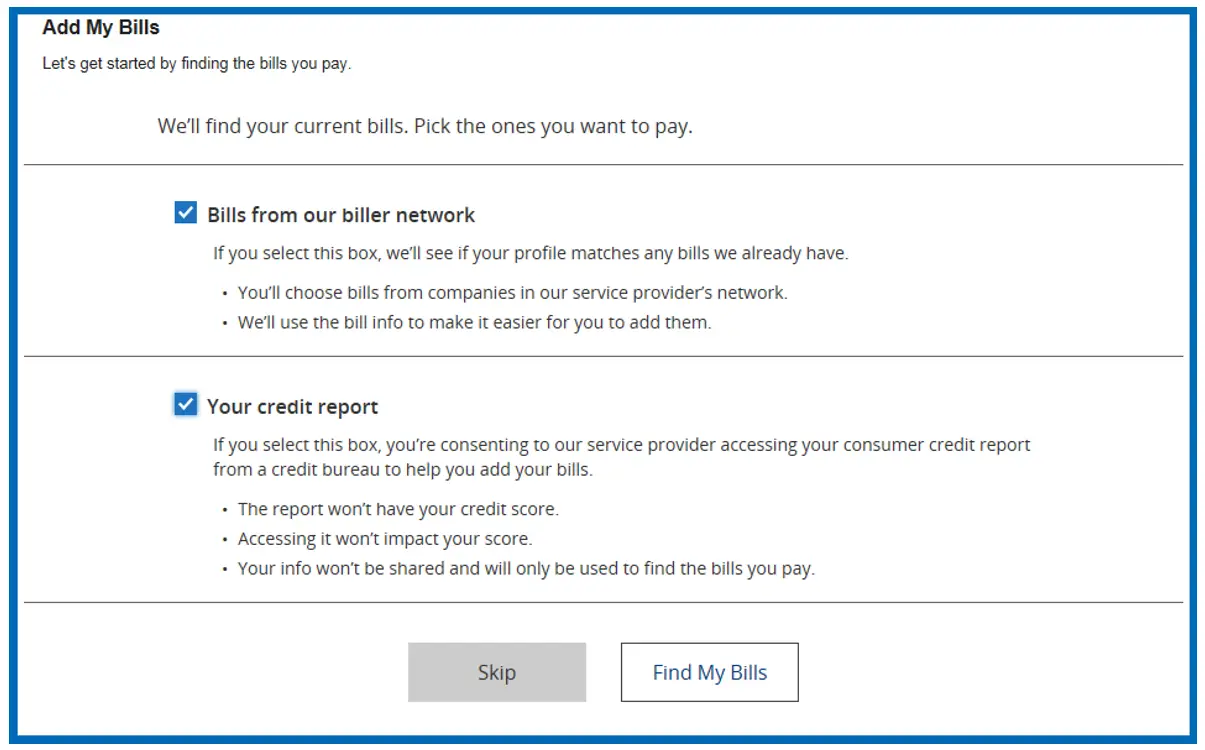
Once you provide consent and click Find My Bills, you will be presented with a page of potential payees.
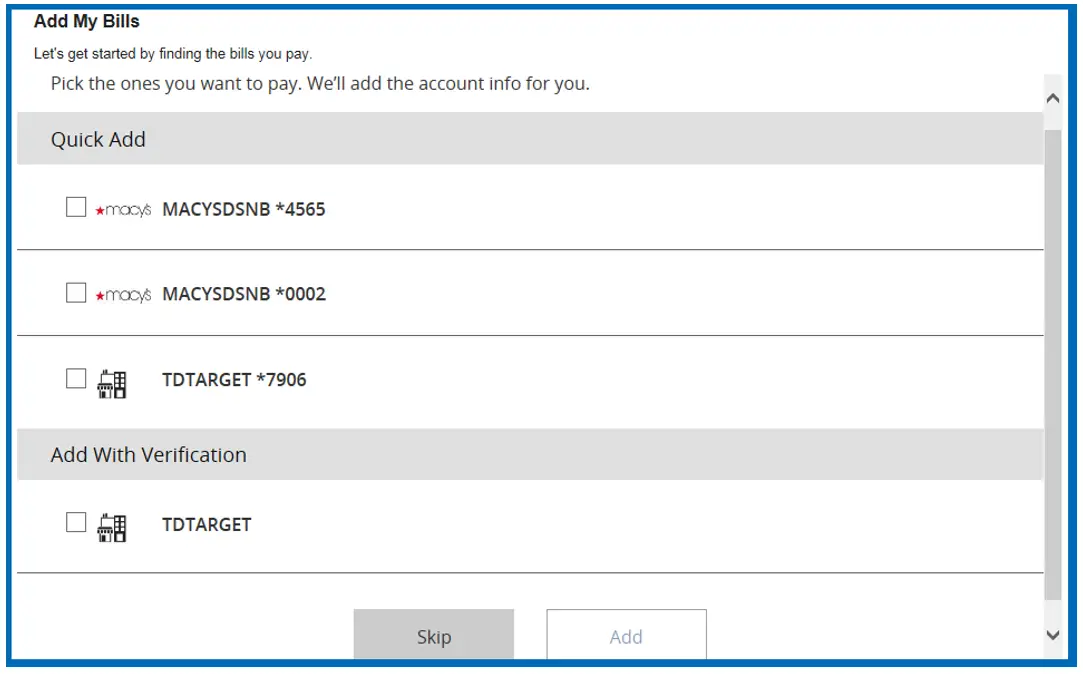
If biller(s) require additional verification upon selecting the biller, you will be provided with the additional verification fields. If the biller does not require any verification then you can add those directly by clicking the Add button.
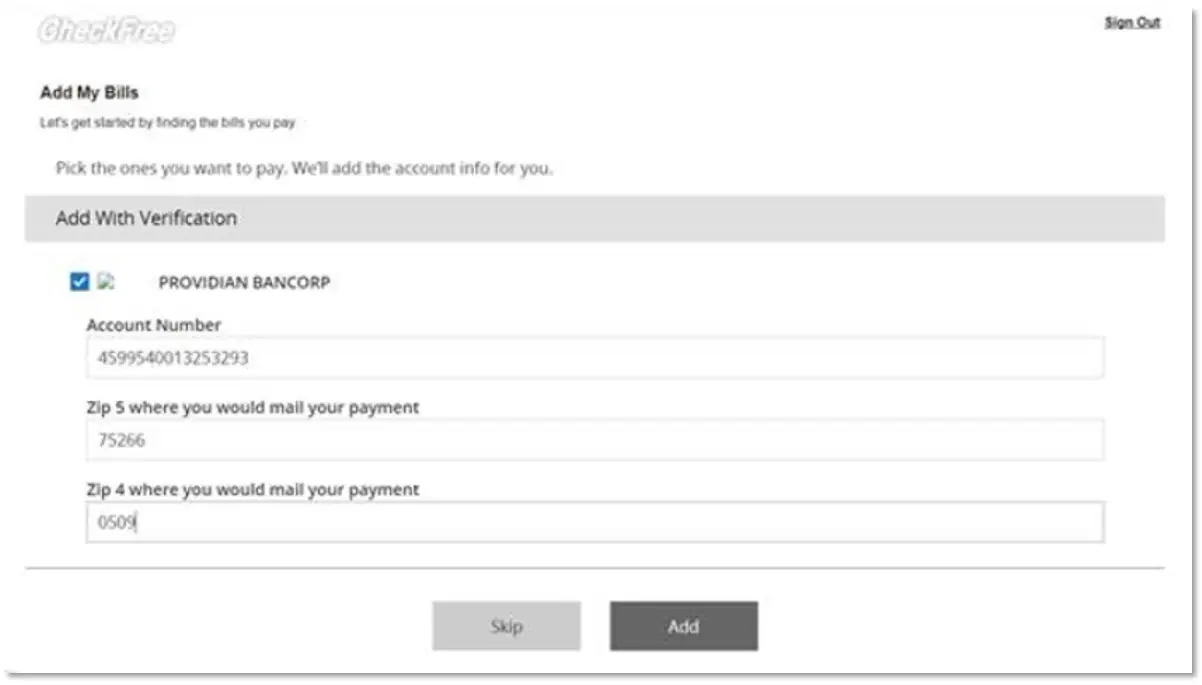
If you are not yet using Bill Discovery, you may see the following banner ad to begin using the feature.
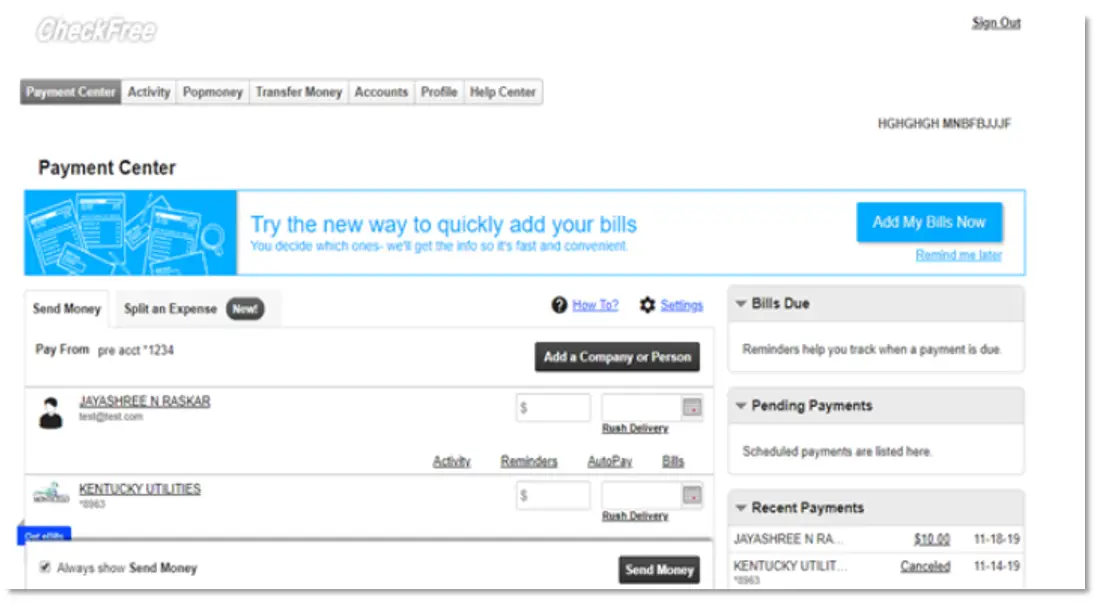
After initial entry into Bill Discovery, new billers found among billers from the biller network or in your credit report will appear in the top, right area of your window. When clicking “Get My Bills”, you will be walked through the process of adding your bills in the same manner as the initial setup.
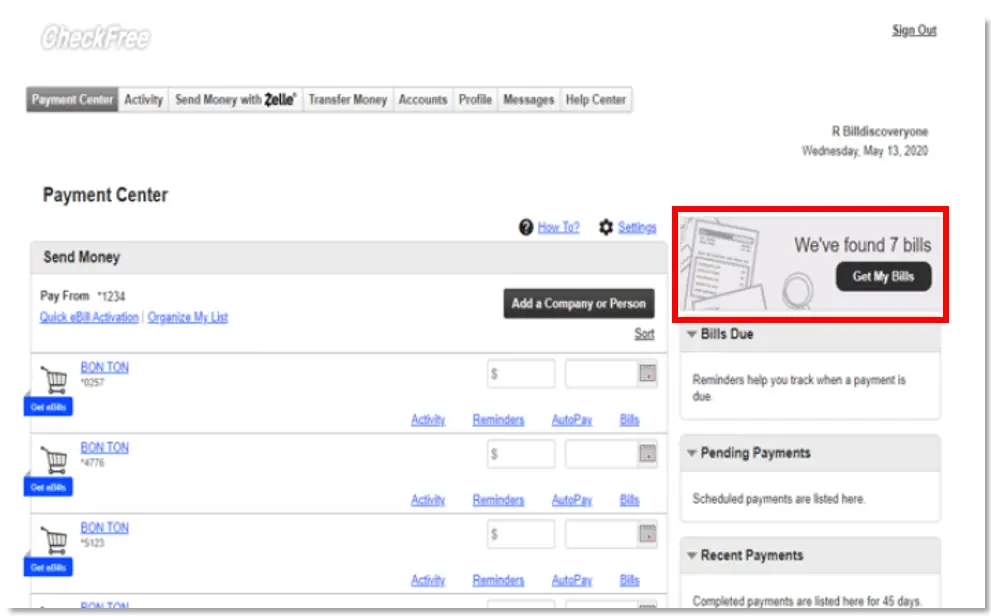
Yes. All rewards points redemptions are final. Points redeemed for any reward cannot be returned, reinstated, exchanged, or reversed for any reason, including accidental selection or non-use of the reward.
It’s easy! After you’re enrolled in Debit Rewards, you can redeem your points anytime to pay for eligible purchases at Amazon.com. Select to pay with your North Shore Bank debit card when you’re ready to check out. You’ll be able to choose your reward points to cover all or part of your purchase.
Visit Amazon’s uChoose Rewards page to learn more about how it works.
If your North Shore Bank debit card is connected to your PayPal® account, you’ll automatically be able to see your available reward balance and pay using your points.
You can also visit PayPal uChoose Rewards or add to link your card.
Once you’ve registered for Debit Rewards, you can use your reward balance to buy gas at more than 8,000 participating bp® and Amoco® gas stations nationwide. Simply tap, swipe, or insert your North Shore Bank Standard or Platinum Debit Mastercard® to save at the pump.
You’ll automatically receive a discount offer to save 50 cents per gallon (up to 20 gallons). Select “Yes” to redeem 1,500 points, and then watch your price roll back. To find participating stations near you, visit the bp Pump Locator.
With Debit Rewards, you can use your points to pay for purchases with PayPal®, Amazon.com, and even bp® and Amoco® gas stations.
Log in to your North Shore Bank account in the Mobile App or Online Banking and go to “Rewards” to see how it works. Under the “Redeem Points” tab, choose “Pay with Points” to get started.
Yes! Purchases made with Apple Pay, Samsung Pay, or Google Pay will still be included in your rewards.
Most points will be accumulated and available for redemption at the beginning of each month based on the prior month’s card activity. To redeem your points, you must accumulate a minimum of 500 points. View your points total by selecting “Rewards” in the Mobile App or Online Banking.
You can earn Debit Rewards when you make purchases with the Standard or Platinum Debit Mastercard® associated with your North Shore Bank checking account. Business cards or cards tied to Health Savings Accounts are ineligible.
There’s no limit on the number of points you can earn each year, and you have three years to use your points before they expire. For complete details, see the Rewards Terms & Conditions.
Points earned from debit card purchases throughout the current month will become available by the first day of the following month. You can view your point activity in your Debit Rewards account under the “My Rewards” tab anytime.
In rare circumstances, it can take up to 60 days for those transactions to appear. If points from a qualified transaction do not appear after 60 days, contact us for assistance.
You sure can! All North Shore Bank debit cards connected to the same checking account automatically earn points. Plus, when you are the account owner, you can link multiple accounts together to earn rewards faster.
Within Rewards, simply click on your profile and select “Link Account” to add another North Shore Bank debit card to your Debit Rewards account.
After enrolling, you can earn points by making purchases using your North Shore Bank debit card.
- Standard Debit Mastercard earns 1 point for every $4 spent
- Platinum Debit Mastercard earns 1 point for every $2 spent
You can earn even more points when you shop at the participating retailers featured on the Debit Rewards site found in the Mobile App and Online Banking.
You can easily view your debit card rewards activity anytime by selecting “My Rewards” within our Mobile App or Online Banking.
In the Mobile App, tap “Cards” at the bottom of your screen, then “Rewards”. In Online Banking, select “Manage Cards” and then choose “Rewards”.
To register, visit My Card Manager in the Mobile App or Online Banking, and click the link to access the Rewards platform. View a video tutorial.
Debit Rewards is a rewards program where you earn points for using your Standard or Platinum Debit Mastercard® associated with your North Shore Bank checking account. Points can be redeemed for cash back, gift cards, or Pay with Points at Amazon and PayPal.
Business cards or cards tied to Health Savings Accounts are ineligible.
No down payment may be required for qualifying VA home purchases.
No. VA loans do not require private mortgage insurance.
The VA funding fee is a one-time fee that helps sustain the program for future Veterans and military homebuyers. In many cases, it can be financed into the loan.
An appraisal is typically required for a home purchase. For IRRRL refinances, an appraisal is often not required.
In some cases, such as for eligible disabled Veterans, the funding fee may be waived.
We encourage you to review and/or update your email and phone number in the Mobile App or Online Banking before October 23. To do so, follow these instructions:
Mobile App
- Log in to your account and select More in the lower right-hand corner
- Then, under SETTINGS, select Manage profile information
- Then choose Email and Phone Number
- Enter the unique 6-digit secure code from the verification alert sent to you via text message or phone call
- Follow the on-screen instructions to update your email address and/or phone number
Online Banking
- Log in to your account and select Settings
- Then select Profile and then select Email and Phone Number.
- Enter the unique 6-digit secure code from the verification alert sent to you via text message or phone call
- Follow the on-screen instructions to update your email address and/or phone number
It will take 1-2 business days to see your updated email address or phone number in Online Banking or the Mobile App. If you need further assistance, please contact Customer Support.
We encourage you to note your User ID and Password prior to the update to make it easier for you to log in to new system for the first time.
In the Mobile App, select Trouble logging in? to recover your User ID or to reset your Password.
To recover your User ID or password in Online Banking, select Recover Username or Reset Password in the log in box and follow the instructions provided.
If you need assistance, please call us at 877-672-2265.
Yes. The Mobile App, Online Banking, Mobile Deposit, Account Alerts, Bill Pay, and Zelle® will be unavailable as of Friday, October 23 at 3 p.m. The new Digital Banking experience will be available on Monday, October 26.
No. If you're currently enrolled in eStatements, your enrollment will automatically carry over to the new Digital Banking platform. You’ll continue to receive your statements electronically after the upgrade, and no action is required on your part.
No. Personal account customers won't need to download a new app. Just update to the latest version when prompted and sign in with your User ID and Password.
- Update the app when prompted. If automatic updates are enabled, the new version will install automatically. Otherwise, you'll be prompted to update when you open the app. If you are a business customer, you will need to download the new app.
- Look for a new icon and app name. After the update, the app icon will change and the app will appear as North Shore on your device.
- Need the app? Search for North Shore Bank in Apple’s App Store® or Google Play™.
- One app, separate logins. Personal and business customers will use the same app, but each will continue to sign in with their own User ID and Password.
You have two options:
- Personal account customers can access the updated Digital Banking through the current Mobile App. Open your existing app and follow the prompt to download the new version. After installation, log in using your current User ID and Password.
OR
- Direct Download - Search for “North Shore Bank Personal” in Apple’s App Store® and “North Shore Bank” in Google Play™.
Not much. You'll continue using your existing User ID and Password. For added security, your first login after the upgrade will require a one-time passcode sent by text message or phone call to verify your identity. Once completed, future logins will work just as they do today.
If you normally sign in with Face ID or Touch ID, make sure you know your User ID and Password. You'll need to enter your credentials the first time you log in after the upgrade. After that, you can re-enable biometric login.
Along with re-establishing your biometric logins, you may need to reconnect push notifications on your preferred device after the upgrade.
If you use Quicken or QuickBooks, please download your latest transactions and back up your data before Friday, October 23.
Quicken and QuickBooks will continue to be supported after the upgrade through Direct Connect, Web Connect, and Express Web Connect.
Beginning Monday, October 26, you'll need to reconnect your accounts in Quicken or QuickBooks by deactivating and reactivating your connection.
View step-by-step instructions:
- Quicken Conversion Instructions (PDF)
- QuickBooks Desktop Conversion Instructions (PDF)
- QuickBooks Online Conversion Instructions (PDF)
Please note: If your accounts are linked to Intuit through Express Web Connect (Aggregation Services), your connection may be unavailable for up to five business days after the upgrade. During this time, you can manually download and import QFX or QBO files to access your transaction data.
No. You can continue using your current User ID and Password, so there's no need to re-enroll. During your first login after the upgrade, you'll be asked to verify your identity using a one-time passcode sent by email, text message, or phone call. Once verified, you'll be able to access your accounts as usual.
If you have not accessed your accounts in over 12 months, contact Customer Support for assistance.
Yes. Face ID and Touch ID will continue to be available in the updated Digital Banking platform. If you typically sign in using Face ID or Touch ID, be sure you know your User ID and Password before the upgrade. You'll need to enter your credentials the first time you log in after the upgrade. Once you've successfully signed in, you can re-enable biometric login.
No. If you bookmarked the browser-based login page for Personal Online Banking, you will be redirected to the new login page after the upgrade is complete.
You can log in directly from North Shore Bank’s home page at northshorebank.com.
No. Your account history will transfer to the new Digital Banking platform. However, Digital Banking will be unavailable beginning at 3 p.m. on Friday, October 23, while we complete the upgrade. Access will be restored when the new platform becomes available on Monday, October 26.
Bill Pay and Zelle® will be unavailable starting at 3 p.m. on Friday, October 23, until the upgrade is complete. Scheduled payments will still be processed. Future-dated payments scheduled before Bill Pay and Zelle® become unavailable will process as planned. Your Bill Pay and Zelle® information will transfer to the new platform. This includes existing recipients, payment history, and recurring payments.
Yes. Your existing alerts will transfer to the new platform. Current alert settings will carry over automatically.
Beginning at 6 p.m. on Friday, October 23, account alerts will be temporarily unavailable. During this time, you won't be able to create new alerts, but you'll continue to receive notifications for any alerts you set up before the upgrade.
We're here to help. Visit our Digital Banking page for the latest information, FAQs, key dates, and support resources. If you need additional assistance, please contact Customer Support or visit any North Shore Bank office. We're committed to making your transition to the new digital banking experience as smooth as possible.
We encourage you to verify your email address before October 23. To do so, follow these instructions:
Business Online Banking (desktop)
- Log in to your account and select Profile
- Review the email address listed
If you need to update your email address, please contact Customer Support
We encourage you to note your Username and Password prior to the update to make it easier for you to log in to new system for the first time.
You can recover your password in Business Online Banking (desktop). Select Forgot Password in the log in box and follow the instructions provided. You will need to provide your Username and email address to proceed.
If you need assistance, please contact Customer Support.
Yes. The Business Mobile App, Business Online Banking, Mobile Deposit, Account Alerts, ACH & Wire, and Remote Deposit Capture will be unavailable as of Friday, October 23 at 6 p.m. Bill Pay will be unavailable as of Friday, October 23 at 8 a.m. Positive Pay will be unavailable as of Thursday, October 22 at 5 p.m.
The new Digital Banking experience will be available on Monday, October 26.
Most of your account information will remain intact and ready for use. This includes your transaction history, bill pay information, account alerts, ACH, wire, and RDC settings, and eStatement preferences.
Please note that you may need to schedule activity in select modules prior to October 23. Visit our Digital Banking landing page for details.
Yes. Business customers will no longer use a separate Business Mobile App. Instead, both personal and business customers will access their accounts through the same North Shore app.
- Business-only customers will need to download the new app. Search for “North Shore Bank Personal” in Apple’s App Store® and “North Shore Bank” in Google Play™.
Important: The current Business Mobile App will no longer work after the upgrade. - Look for a new icon and app name. After the update, the app icon will change and the app will appear as North Shore on your device.
- One app, separate logins. Personal and business customers will use the same app, but each will continue to sign in with their own User ID and Password.
- If you have both personal and business accounts, simply update your current North Shore Bank Mobile App when prompted. If automatic updates are enabled, the update will happen automatically. Once updated, you can sign in using either your personal or business credentials.
You have two options:
- Direct Download - Search for North Shore Bank in your device’s app store, download the new app, and log in with your existing credentials
OR - For business customers who have personal accounts, you can access the updated Digital Banking through the current personal Mobile App. Open your existing app and follow the prompt to download the new version. After installation, log in using your current User ID and Password.
Yes, there will be some changes for certain users, but your User ID, Password, and user permissions will remain the same.
- No re-enrollment required. Continue using your current User ID and Password after the upgrade.
- User access will remain unchanged. Existing user permissions and entitlements will automatically transfer to the new platform.
- Soft Token Users: Beginning Monday, October 26, customers who use ACH and Wire services will need to update the DigiPass App to continue using token authentication. After the Digital Banking upgrade is complete, North Shore Bank will email soft token users instructions for updating the DigiPass App.
No. If you're currently enrolled in eStatements, your enrollment will automatically carry over to the new Digital Banking platform. You’ll continue to receive your statements electronically after the upgrade, and no action is required on your part.
If you normally sign in with Face ID or Touch ID, make sure you know your User ID and Password. You'll need to enter your credentials the first time you log in to the new North Shore app after the upgrade. After that, you can re-enable biometric login.
If you have both personal and business accounts with Digital Banking access, you will need to select the appropriate User ID before using biometrics.
If you use QuickBooks, please download your latest transactions and back up your data before Friday, October 23.
QuickBooks will continue to be supported after the upgrade through Direct Connect, Web Connect, and Express Web Connect.
Beginning Monday, October 26, you'll need to reconnect your accounts in QuickBooks by deactivating and reactivating your connection.
View step-by-step instructions:
Please note: If your accounts are linked to Intuit through Express Web Connect (Aggregation Services), your connection may be unavailable for up to five business days after the upgrade. During this time, you can manually download and import QFX or QBO files to access your transaction data.
No. You can continue using your current User ID and Password, so there's no need to re-enroll. During your first login after the upgrade, there will be some changes for certain users.
- No re-enrollment required. Continue using your current User ID and Password after the upgrade.
- User access will remain unchanged. Existing user permissions and entitlements will automatically transfer to the new platform.
Token users: Beginning Monday, October 26, users can sign in using biometrics and multifactor authentication (MFA) through a phone call or text message. Customers who wish to continue using a hard or soft token should contact Treasury Management for assistance, as an updated soft token app will be required.
No. Starting Monday, October 26, the URL for desktop access will change and existing bookmarks will no longer work. Business customers will log in directly from North Shore Bank’s home page at northshorebank.com. From the Login menu, click on the Business tab, and enter your User ID and Password.
No. Your account history will transfer to the new Digital Banking platform. However, Business Online Banking and the Business Mobile App will be unavailable beginning at 6 p.m. on Friday, October 23, while we complete the upgrade. Access will be restored when the new platform becomes available on Monday, October 26.
Business Bill Pay will be unavailable starting at 8 a.m. on Friday, October 23, until the upgrade is complete. Scheduled payments will still be processed. Future-dated payments scheduled before Business Bill Pay becomes unavailable will process as planned. Your Business Bill Pay information will transfer to the new platform. This includes existing recipients, payment history, and recurring payments.
Yes. Your existing alerts will transfer to the new platform. Current alert settings will carry over automatically.
Beginning at 6 p.m. on Friday, October 23, account alerts will be temporarily unavailable. During this time, you won't be able to create new alerts, but you'll continue to receive notifications for any alerts you set up before the upgrade.
We're here to help. Visit our Digital Banking page for the latest information, FAQs, key dates, and support resources. If you need additional assistance, please contact Customer Support or visit any North Shore Bank office. We're committed to making your transition to the new digital banking experience as smooth as possible.