Skip to main content.
Notice: Digital Banking Upgrade Now Available
Logo: FDIC FDIC-Insured - Backed by the full faith and credit of the U.S. Government

Digital Wallets
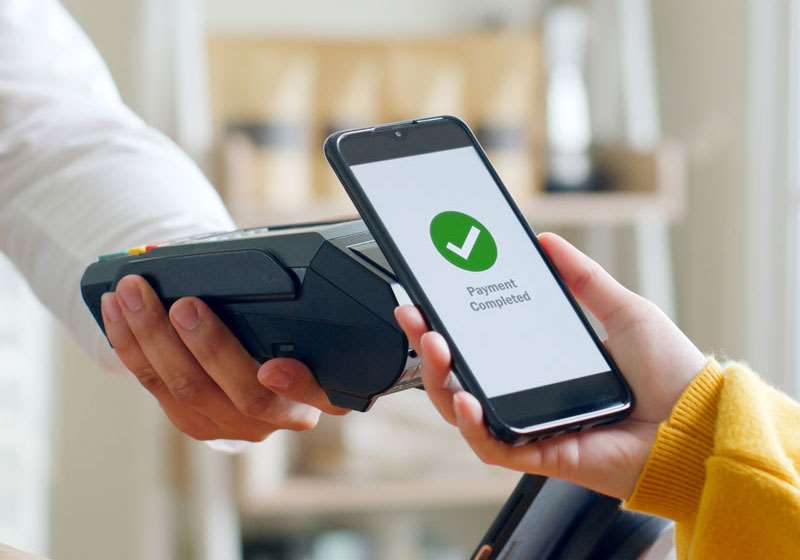
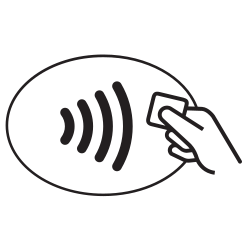
Paying with your North Shore Bank debit card is easy, but it could be better. Take your debit card purchases to the next level by adding your card to a digital wallet. Supported through Apple Pay, Google Pay, and Samsung Pay, you can securely and conveniently pay for items wherever you see the contactless symbol:icoContactlessSymbol 

When you make a payment with a digital wallet, your card number is not shared with the merchant. Instead, a Device Account Number is used to process your payment, which protects your personal information.


Adding your card to a digital wallet is a straightforward process, especially when you use My Card Manager in the Mobile App.

Adding Your Debit Card to Your Digital Wallet is Easy
with My Card Manager

Watch Our My Card Manager Video

Getting Started is Easy

Image - Mobile App Icon

Download the Mobile App

Image - Mobile App Icon

Log into the Mobile App

bdgAppStore
 
bdgPlayStore

Message and data rates may apply.

Android is a trademark of Google Inc. iPhone® is a trademark of Apple Inc., registered in the U.S. and other countries. App Store is a service mark of Apple Inc

FAQs

For a fast, secure way to pay in stores, in apps or online, use your North Shore Bank Debit Card with Apple Pay.

Adding your debit card to Apple Pay with the North Shore Bank mobile app:

  1. Log in to Digital Banking on the North Shore Bank mobile app and navigate to the Cards menu.
  2. Next, locate the card you wish to add and tap Add to Apple Pay.
  3. Then, tap Add to Apple Wallet to begin the process. Your card information should be pre-populated. Once complete, your North Shore Bank debit card will be visible in your Apple Pay wallet.

Manually add your North Shore Bank debit card to Apple Pay:

  1. Open the Wallet app on your Apple device
  2. Capture your debit card information using your device's camera or enter the information manually
  3. Use Apple Pay during your next shopping trip, or online

Additional information:

Message and data rates may apply when using the mobile app.

Apple Pay is a trademark of Apple Inc., registered in the U.S. and other countries and regions. 

For a fast, secure way to pay in stores, in apps or online, use your North Shore Bank Debit Card with Apple Pay.

Adding your debit card to Google Pay with the North Shore Bank mobile app:

  1. Log in to Digital Banking on the North Shore Bank mobile app and navigate to the Cards menu.
  2. From there, you can locate the card you wish to add and tap Add to Google Pay.
  3. Next, tap Add to Wallet to begin the process. Your card information should be pre-populated. Once complete, your North Shore Bank debit card will be visible in your Google Pay wallet.

How to add your North Shore Bank debit card to Google Pay:

  1. Open the Google Pay app on your mobile device
  2. Capture your debit card information using your device's camera or enter the information manually
  3. Use Google Pay during your next shopping trip, or online

Additional information:

Message and data rates may apply when using the mobile app.

Google Pay is a trademark of Google LLC.

You will be able to view the city, state, and date of your last debit card transaction. For more information about North Shore Bank transactions, log into Digital Banking to access your account activity or contact Customer Support at 877-672-2265.

Message and data rates may apply when using the mobile app.

If you are unable to activate your North Shore Bank debit card in your digital wallet, please contact Customer Support at 877-672-2265 for help with adding your debit card to the app for security purposes.

Apple Pay® can be used on your iPhone 6, iPhone 6 Plus at merchants, plus the iPad Air 2 and iPad Mini 3 can be used for online purchases.

Samsung Pay can be used on the Galaxy S8, Galaxy S8+, Galaxy Note 8, Galaxy S7 Edge, Galaxy S7, Galaxy S6, Galaxy S6 Edge, Galaxy S6 Edge+, Galaxy A5 or newer.

Google Pay devices can be found here.